Prefabrykacja

Prefabrication - UX/UI design of a B2B platform

My role

Brand/UI/UX

About the project

Portal about wooden, steel and concrete prefabrication
Client

Prefabrykacja.pl

Challenge

One of the challenges was to divide the portal into 3 categories and 2 target groups.
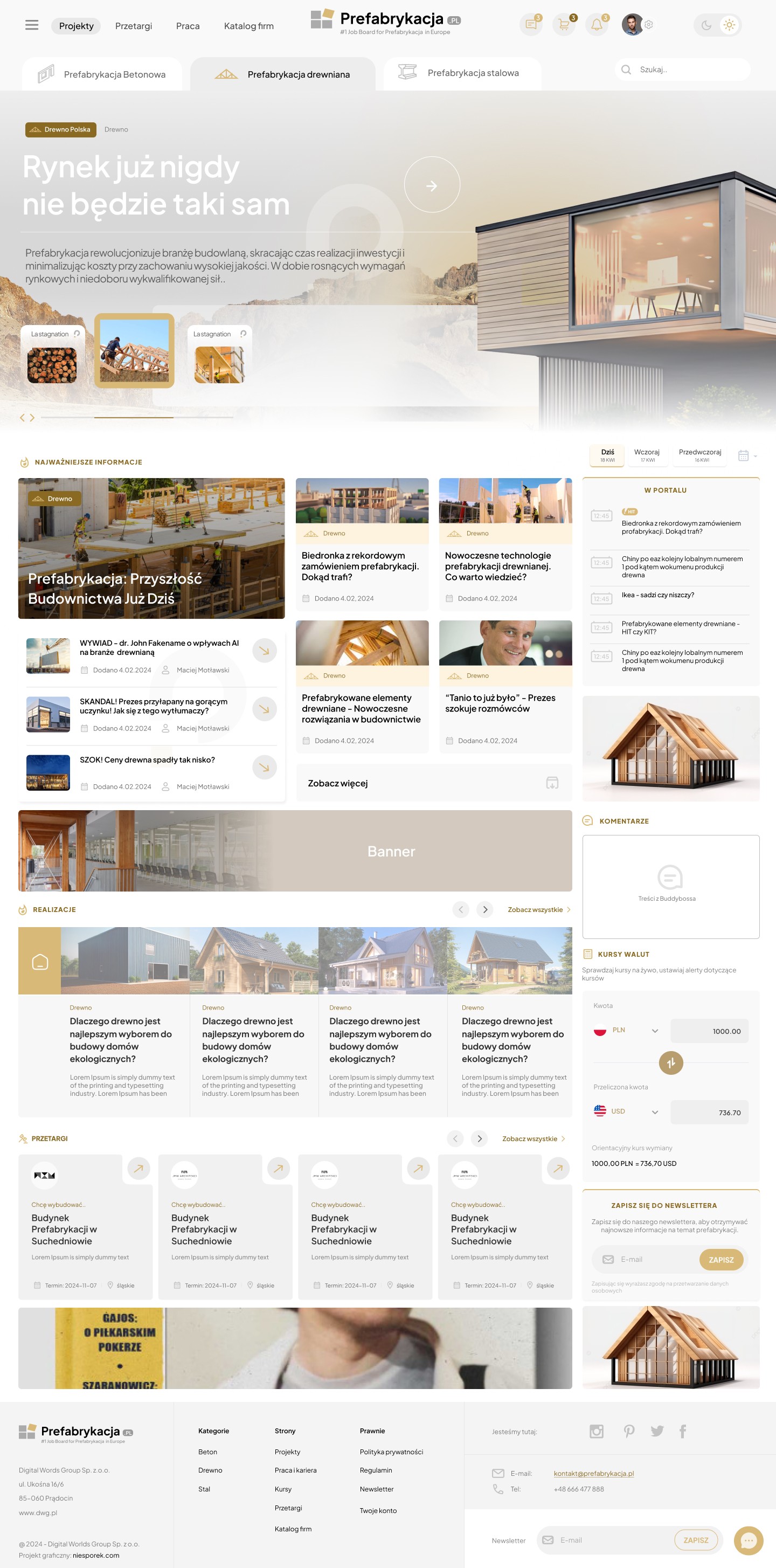
When developing the user interface (UI/UX) for the prefabrication portal, a key challenge was to design an intuitive and clear user journey that seamlessly divided users into two main groups: industry professionals and individual customers. Another crucial element was creating a clear division into the three prefabrication categories: timber, steel, and concrete, taking into account the specific needs and requirements of each. The goal was to ensure easy access to the most important information and enable efficient navigation, regardless of the user's experience level.

When developing the user interface (UI/UX) for the prefabrication portal, a key challenge was to design an intuitive and clear user journey that seamlessly divided users into two main groups: industry professionals and individual customers. Another crucial element was creating a clear division into the three prefabrication categories: timber, steel, and concrete, taking into account the specific needs and requirements of each. The goal was to ensure easy access to the most important information and enable efficient navigation, regardless of the user's experience level.

Makieta UX platformy B2B dla branży prefabrykacji – Sebastian Niesporek.

Modal

Modal – Target Group Selection
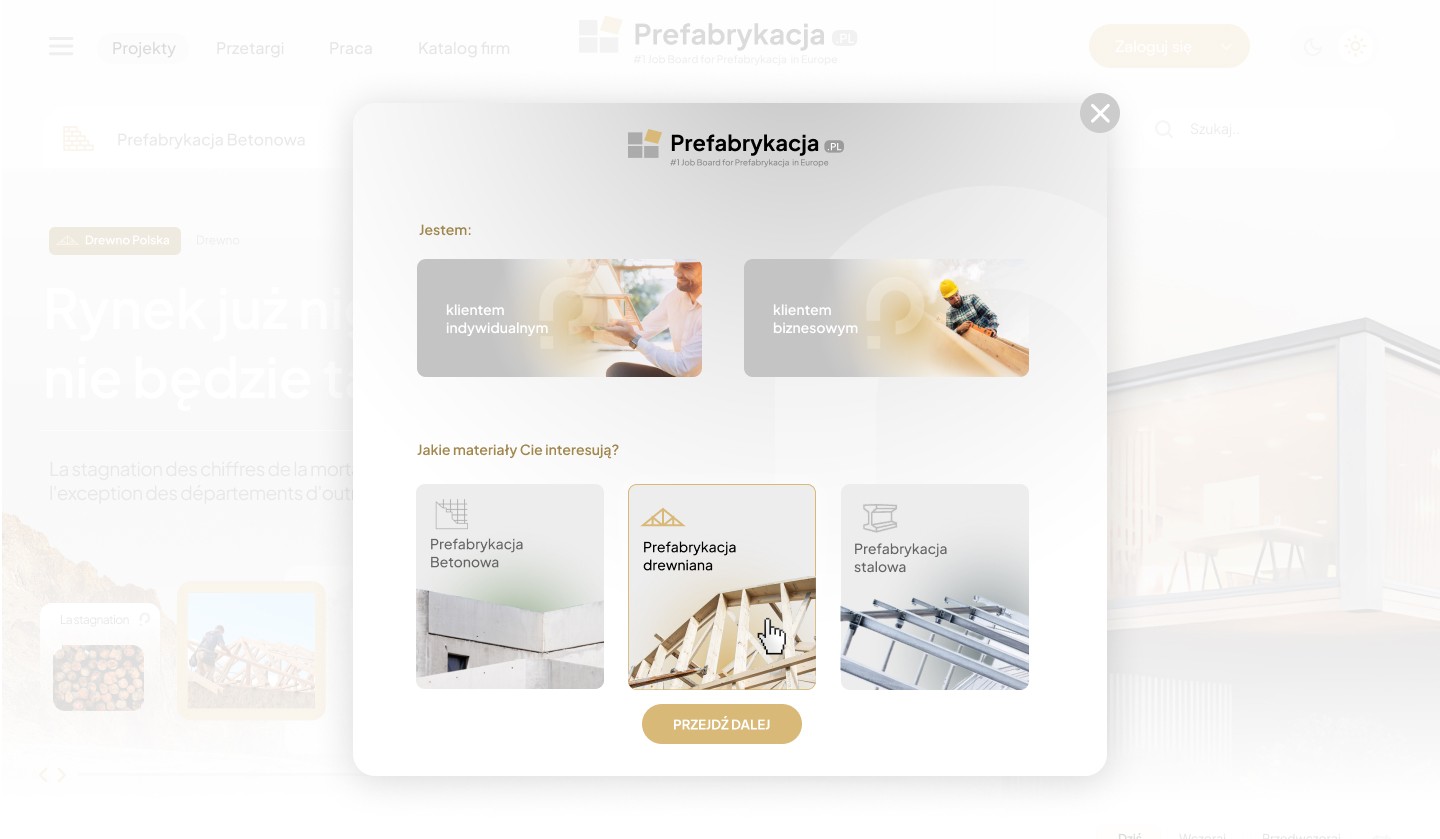
The initial target group selection modal was designed as a starting point for personalizing the user experience on the prefabrication portal. Its primary goal was to tailor content, offers, and communication language to the specific needs of different audience types.

The initial target group selection modal was designed as a starting point for personalizing the user experience on the prefabrication portal. Its primary goal was to tailor content, offers, and communication language to the specific needs of different audience types.

Makieta UX platformy B2B dla branży prefabrykacji – Sebastian Niesporek.

Expandable navigation

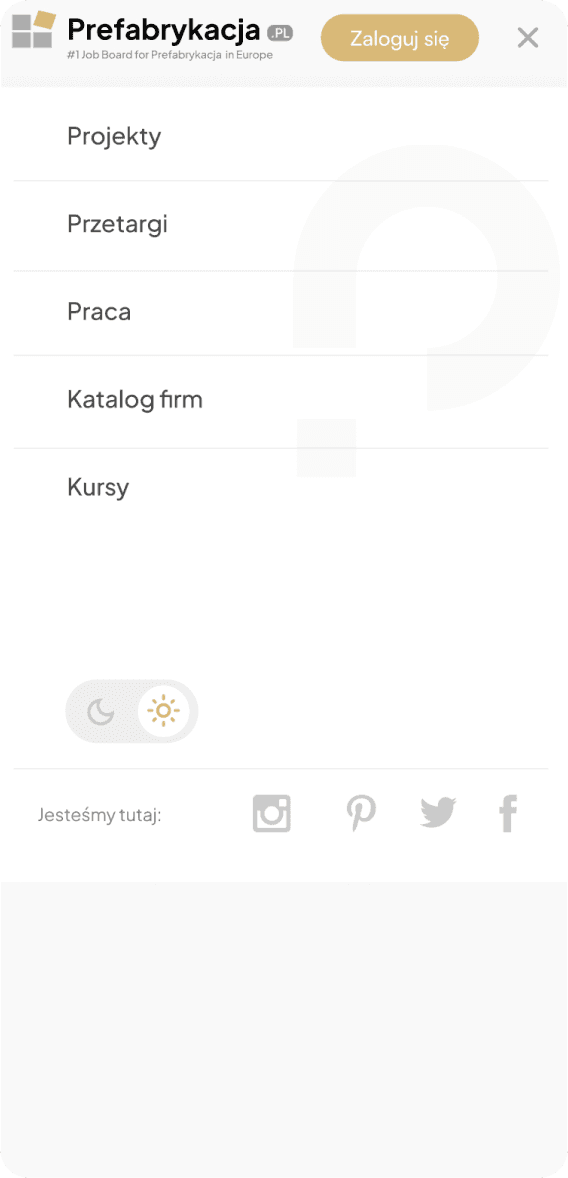
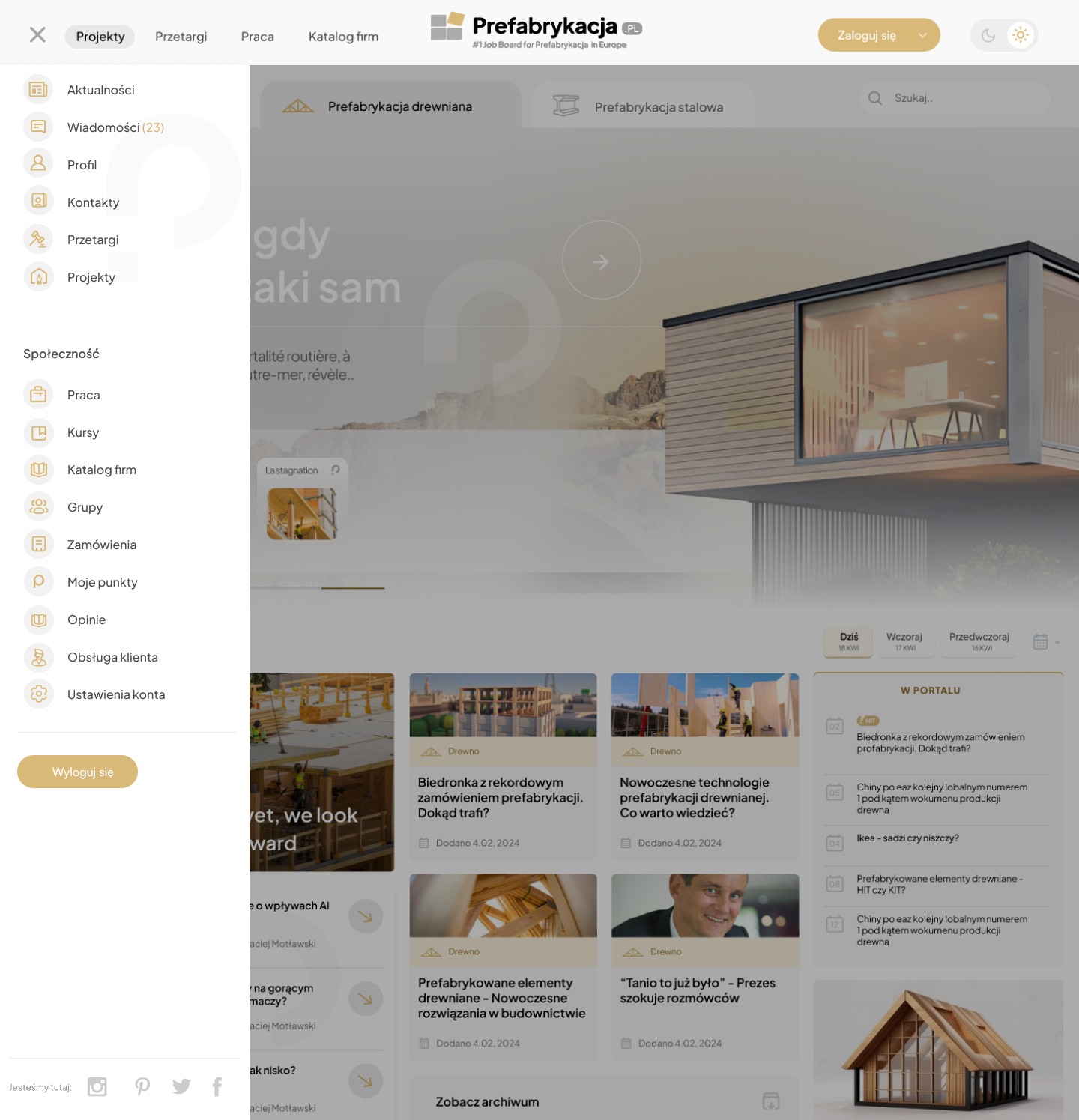
Left-side slide-out navigation Navigation – Menu Categories

For an extensive prefabrication portal, I designed a drop-down navigation that organizes a large number of categories in a clear and unobtrusive way, while supporting intuitive content exploration.

For an extensive prefabrication portal, I designed a drop-down navigation that organizes a large number of categories in a clear and unobtrusive way, while supporting intuitive content exploration.

Makieta UX platformy B2B dla branży prefabrykacji – Sebastian Niesporek.

Step 1

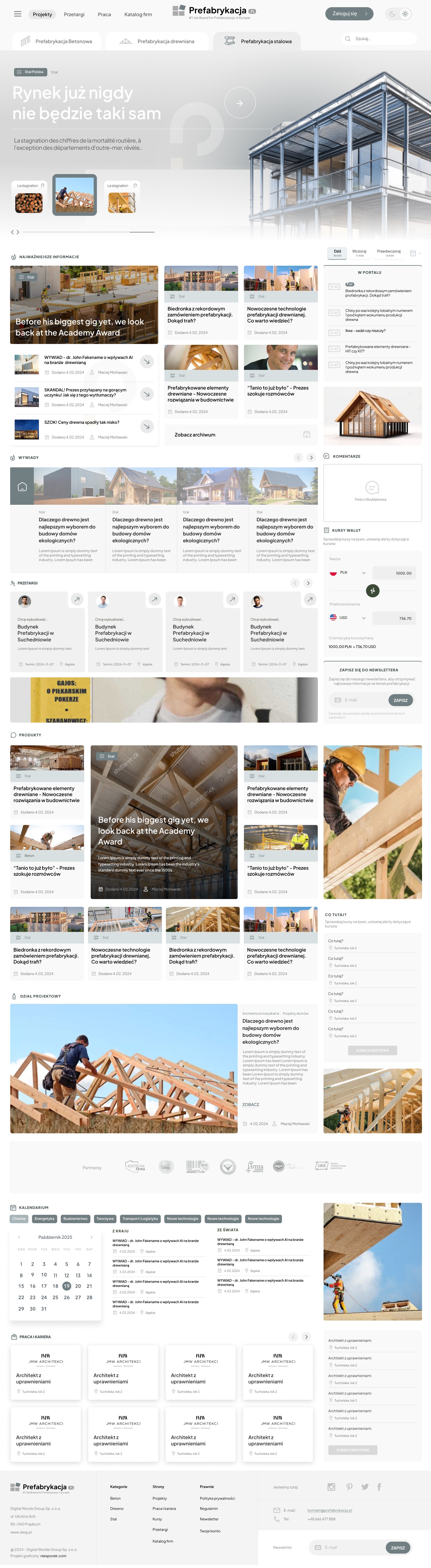
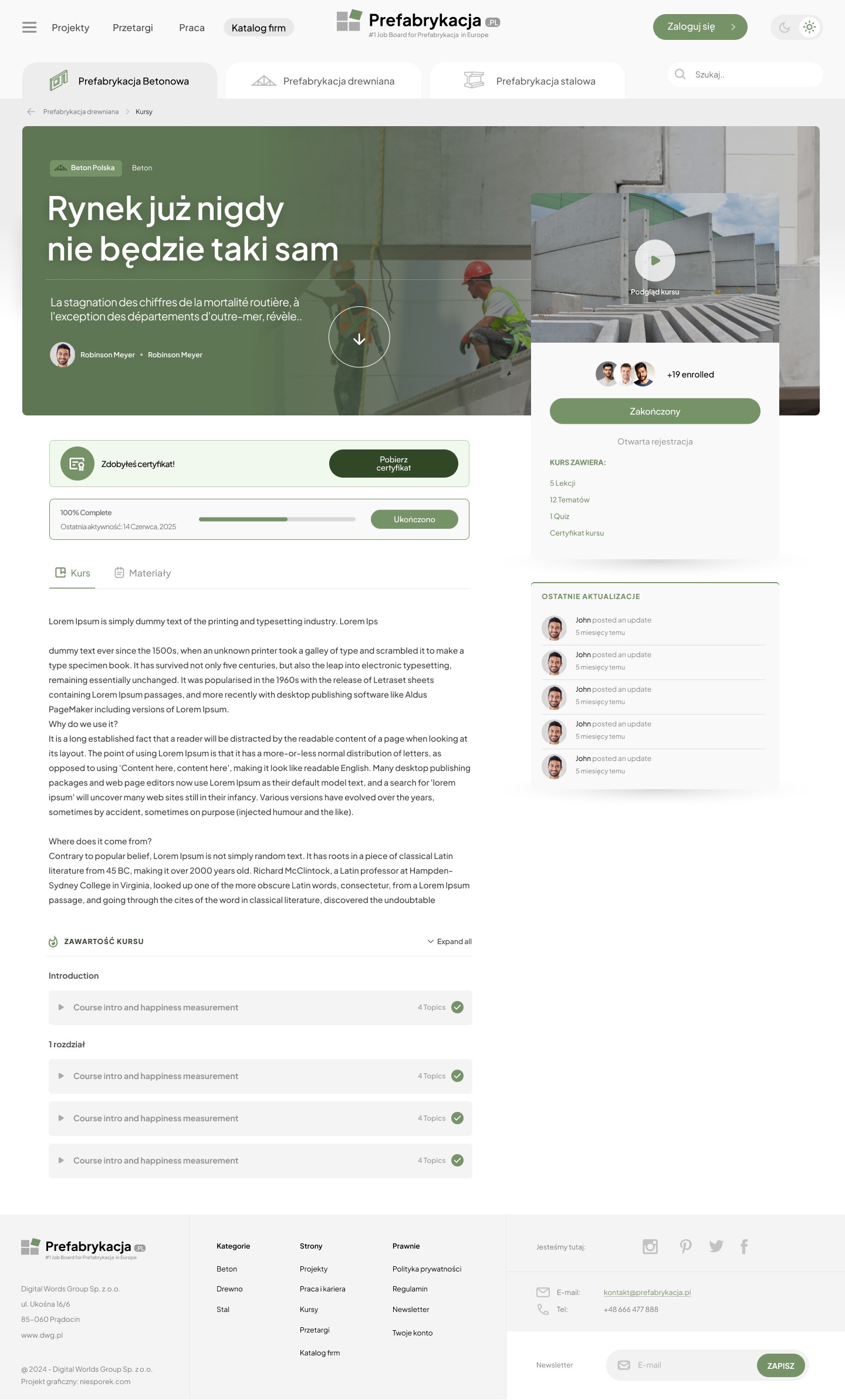
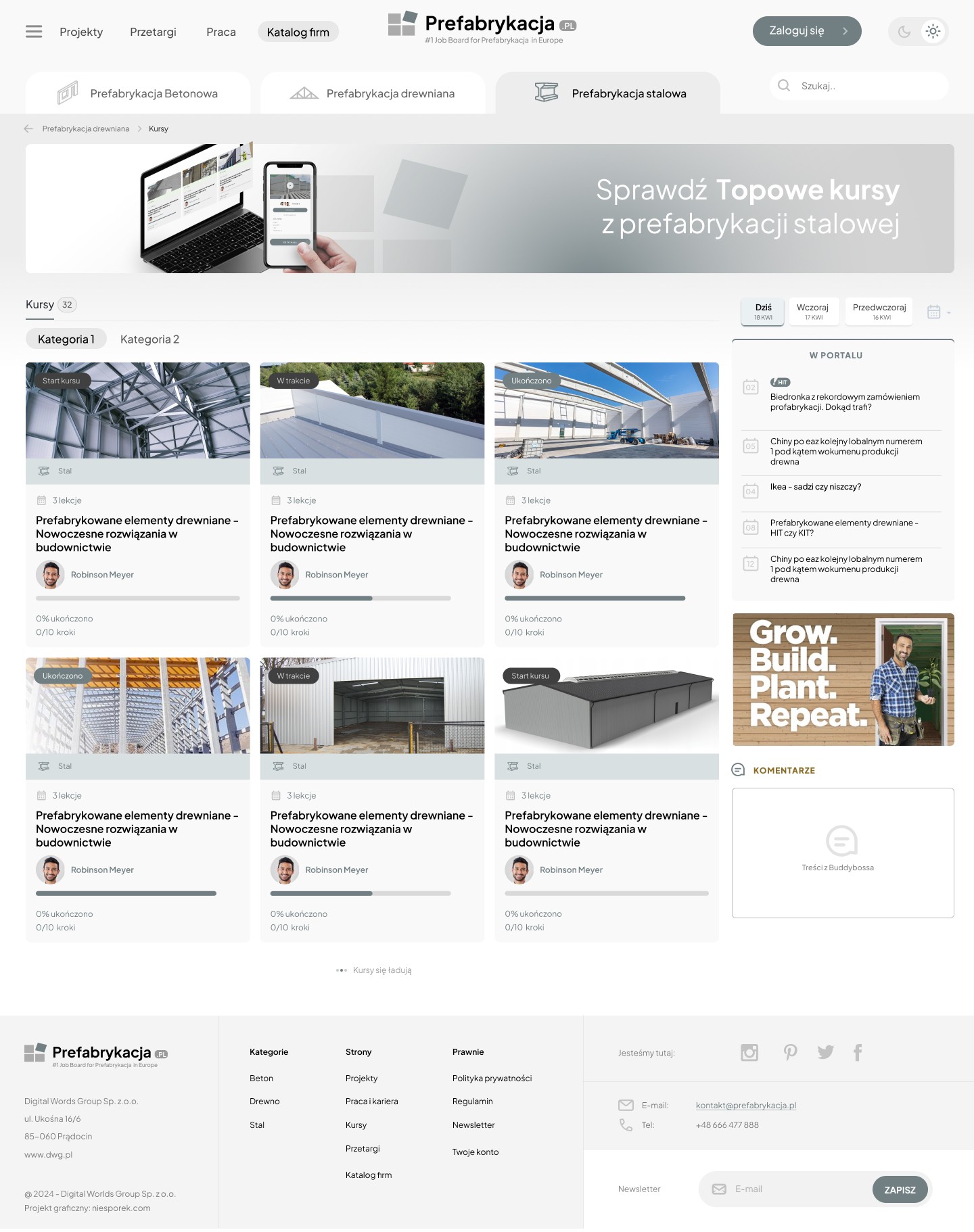
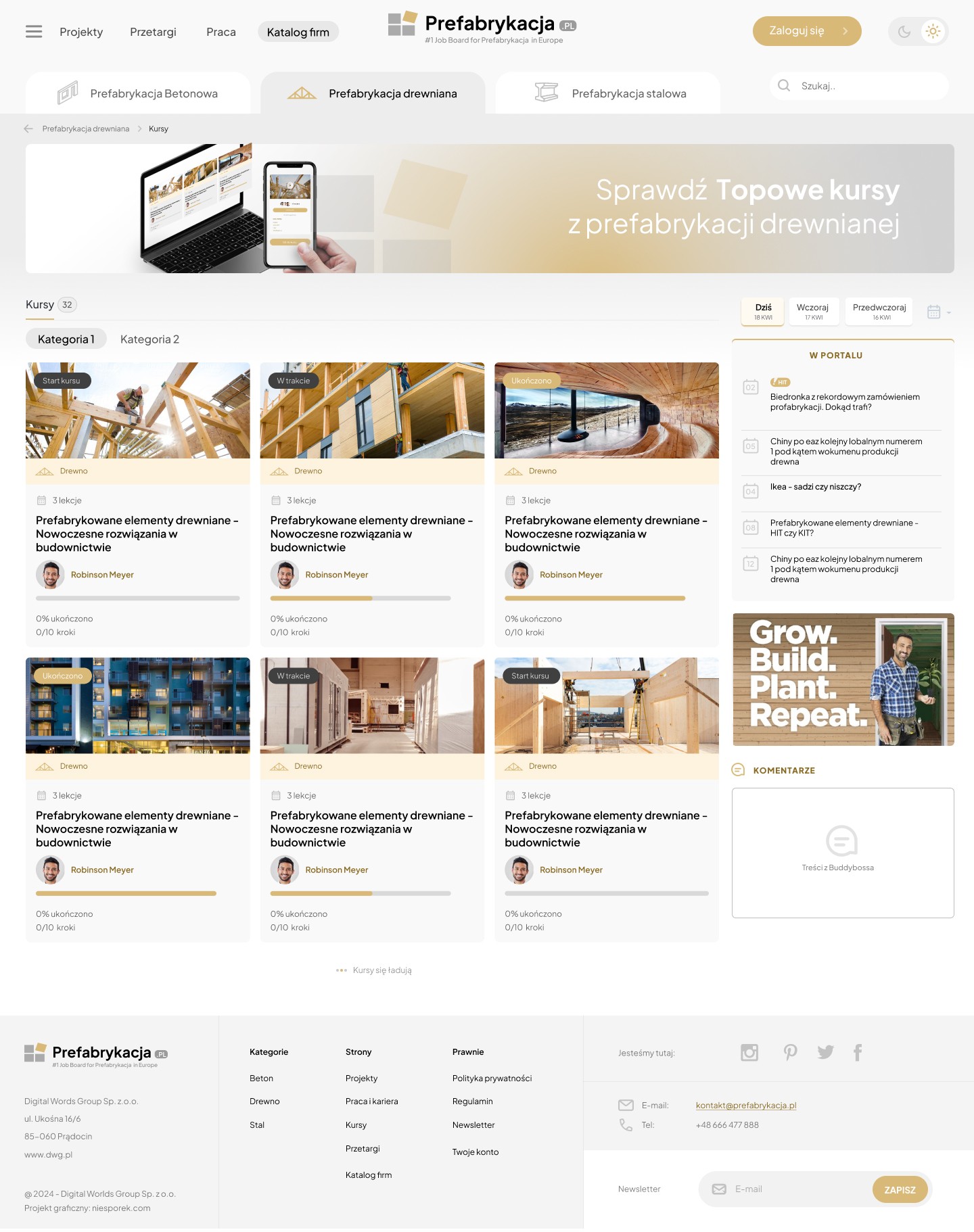
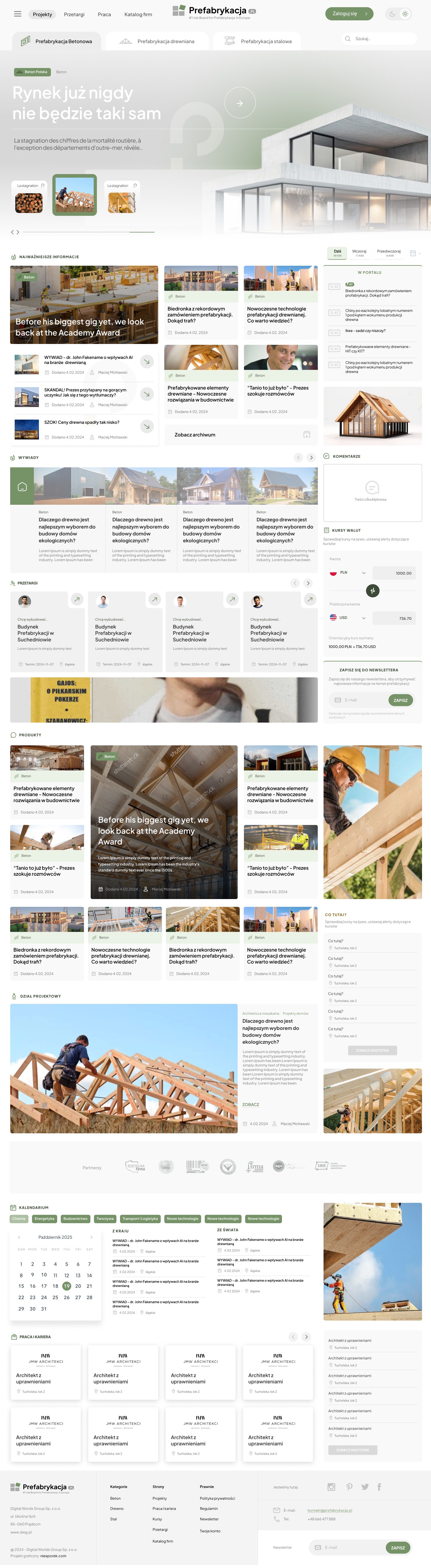
Using different colors to distinguish prefabrication categories

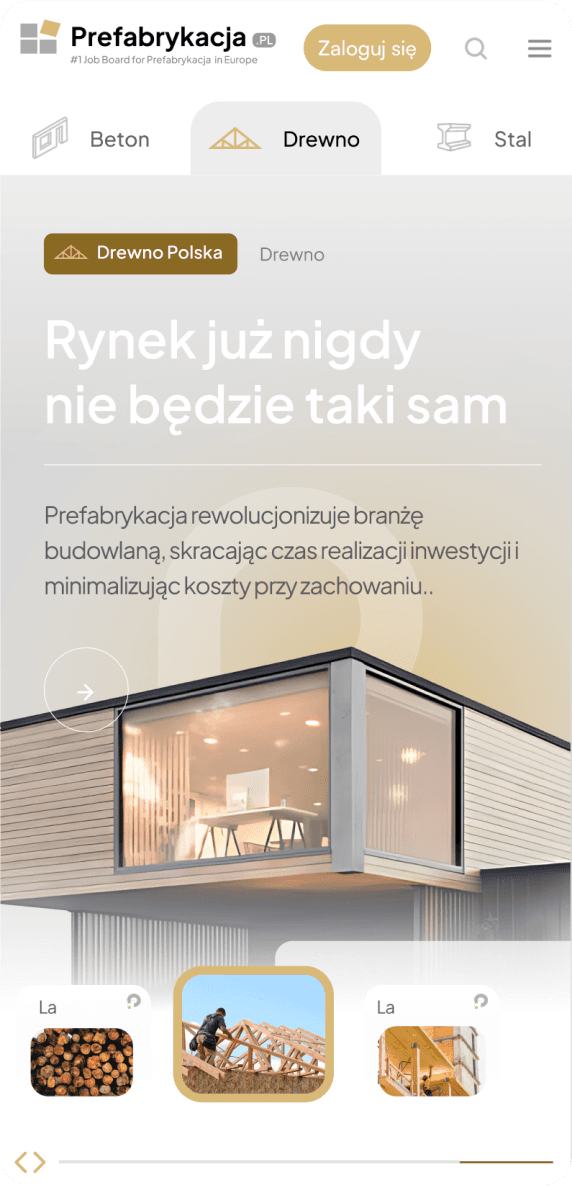
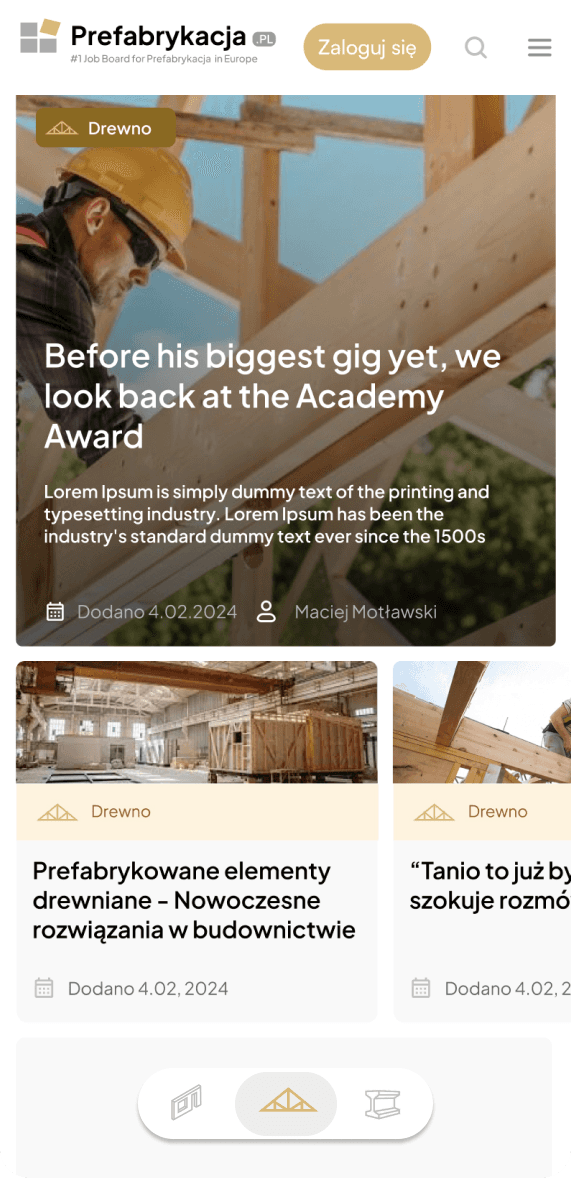
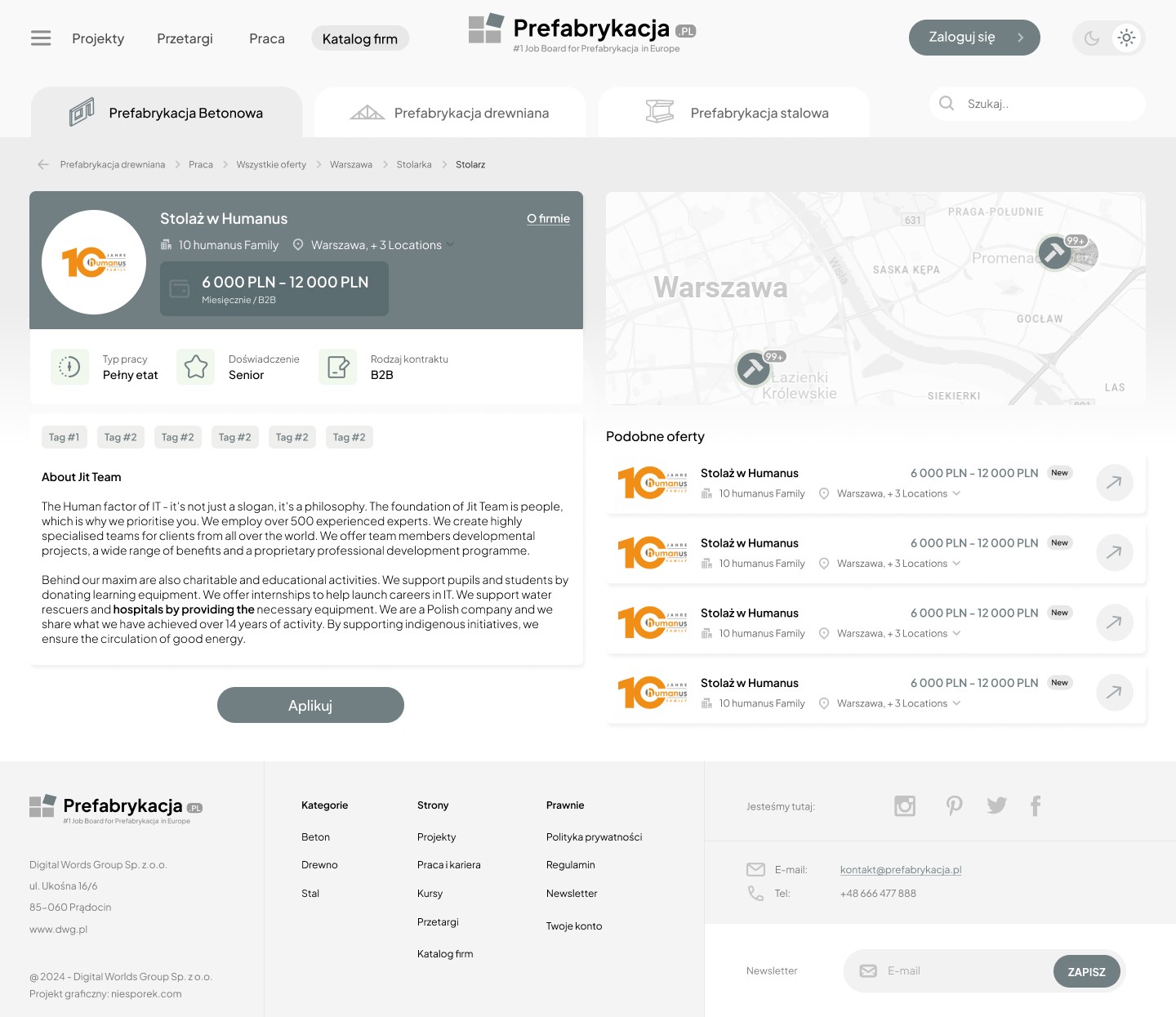
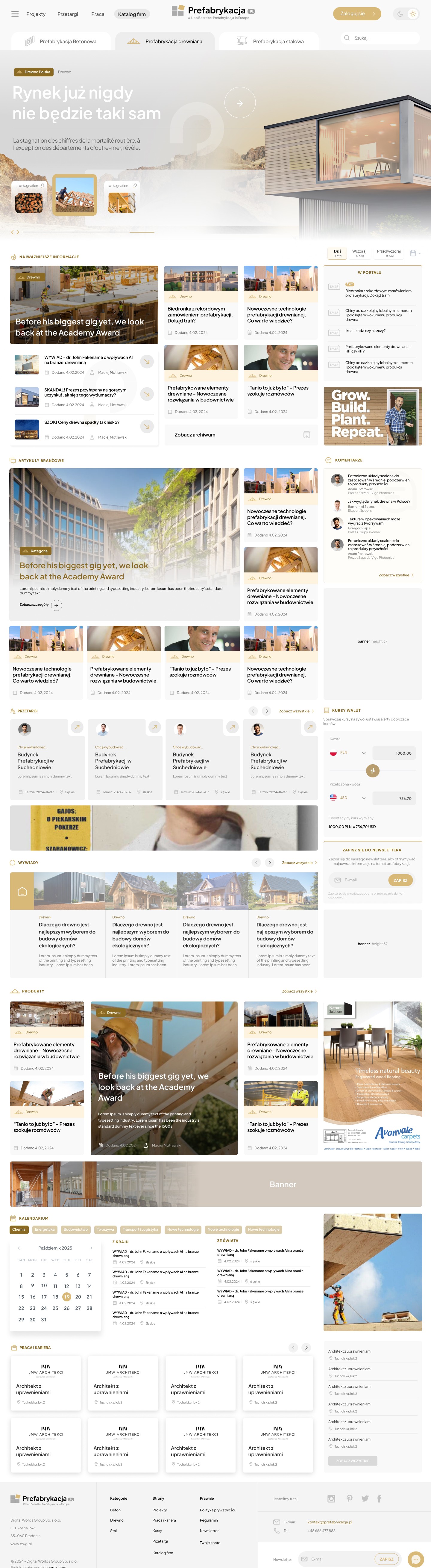
To highlight the differences between the three main prefabrication categories – wood, concrete, and steel – I decided to design three color versions of the portal, each dedicated to one of these categories. The key goal was to create a visual distinction that would allow users to intuitively navigate the portal and quickly find the relevant sections without having to consider the classifications.

While the layout of the projects remained consistent, the color differences for each prefabrication category allowed users to immediately understand which area they were in. This visual change was intended to facilitate easier navigation while maintaining aesthetics and design consistency.

Furthermore, to streamline the orientation process and enhance user comfort, tabs were introduced that allow for quick access to individual prefabrication categories. These tabs were designed in a minimalist manner to avoid disrupting the overall harmony of the interface while also clearly highlighting the differences between categories, significantly improving the user experience.
Step 2

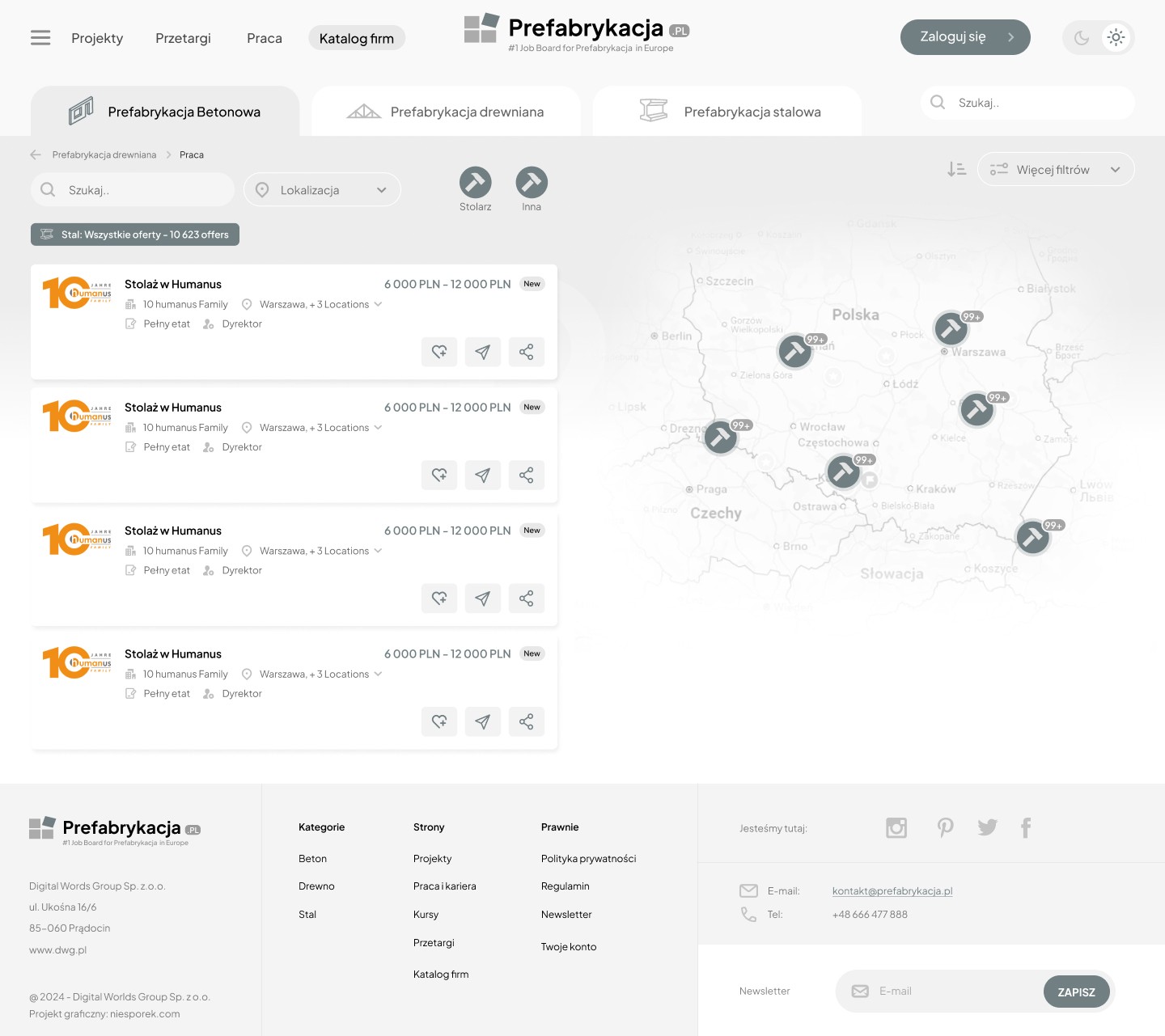
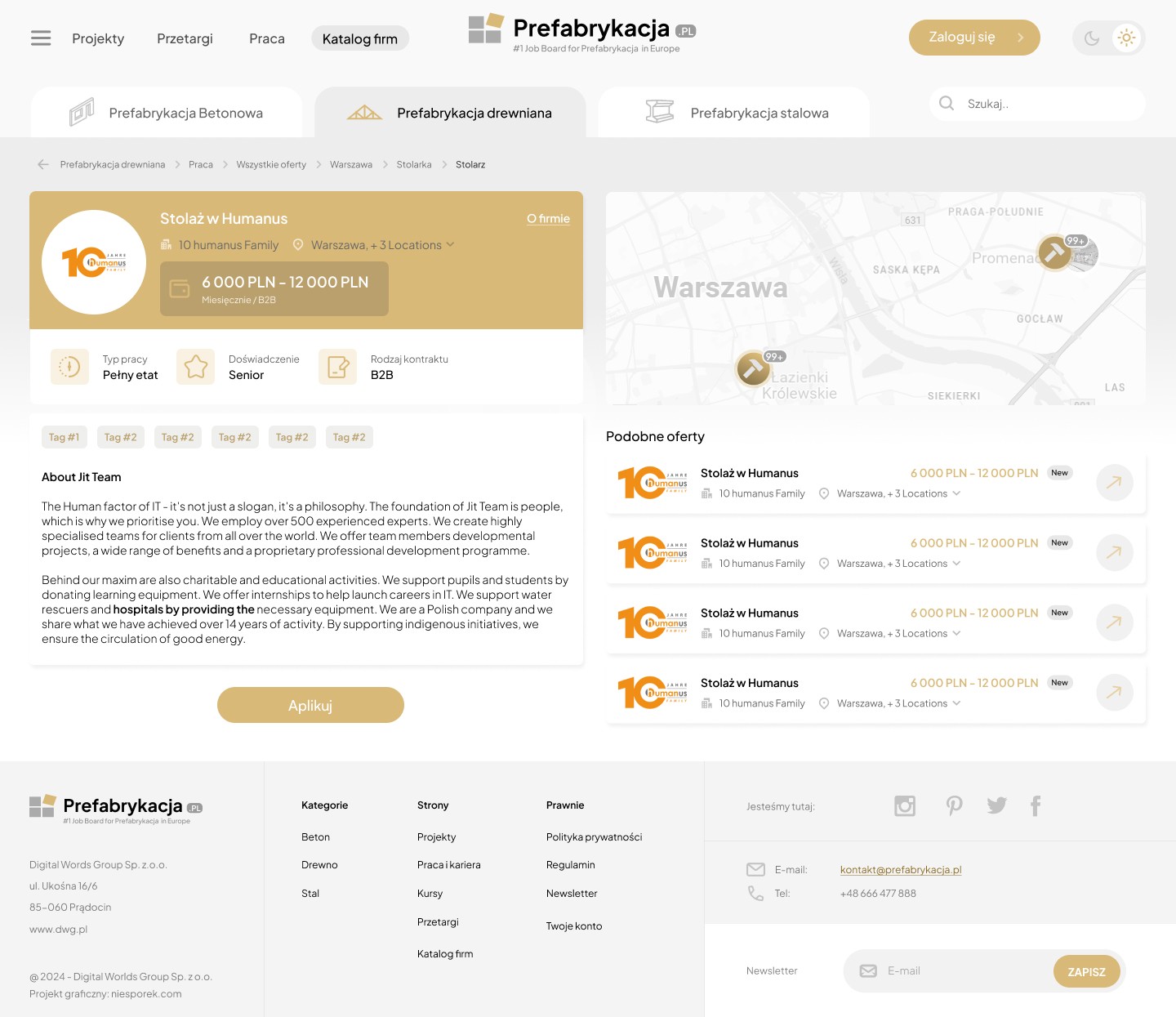
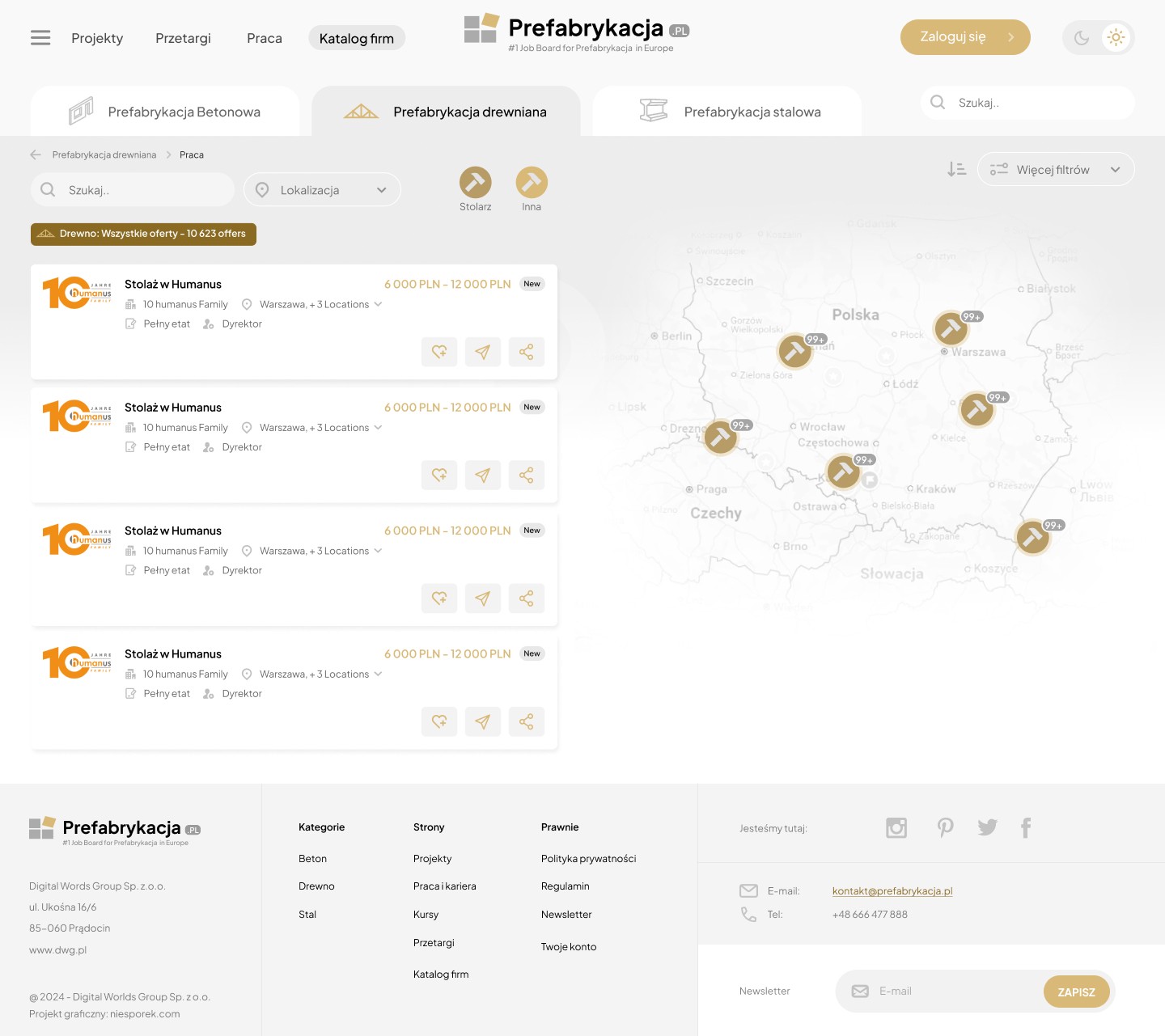
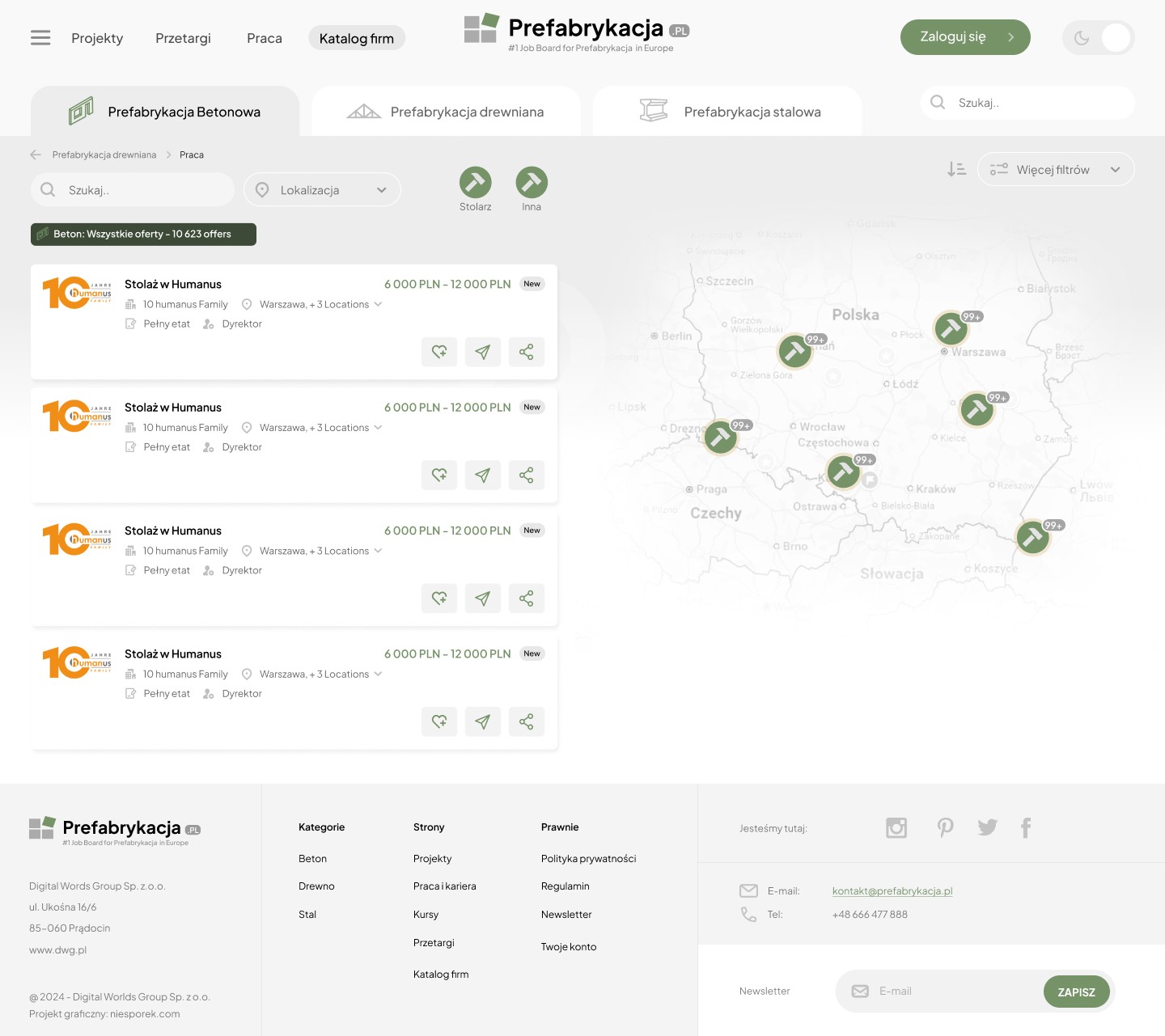
The Job Board project as a central recruitment point

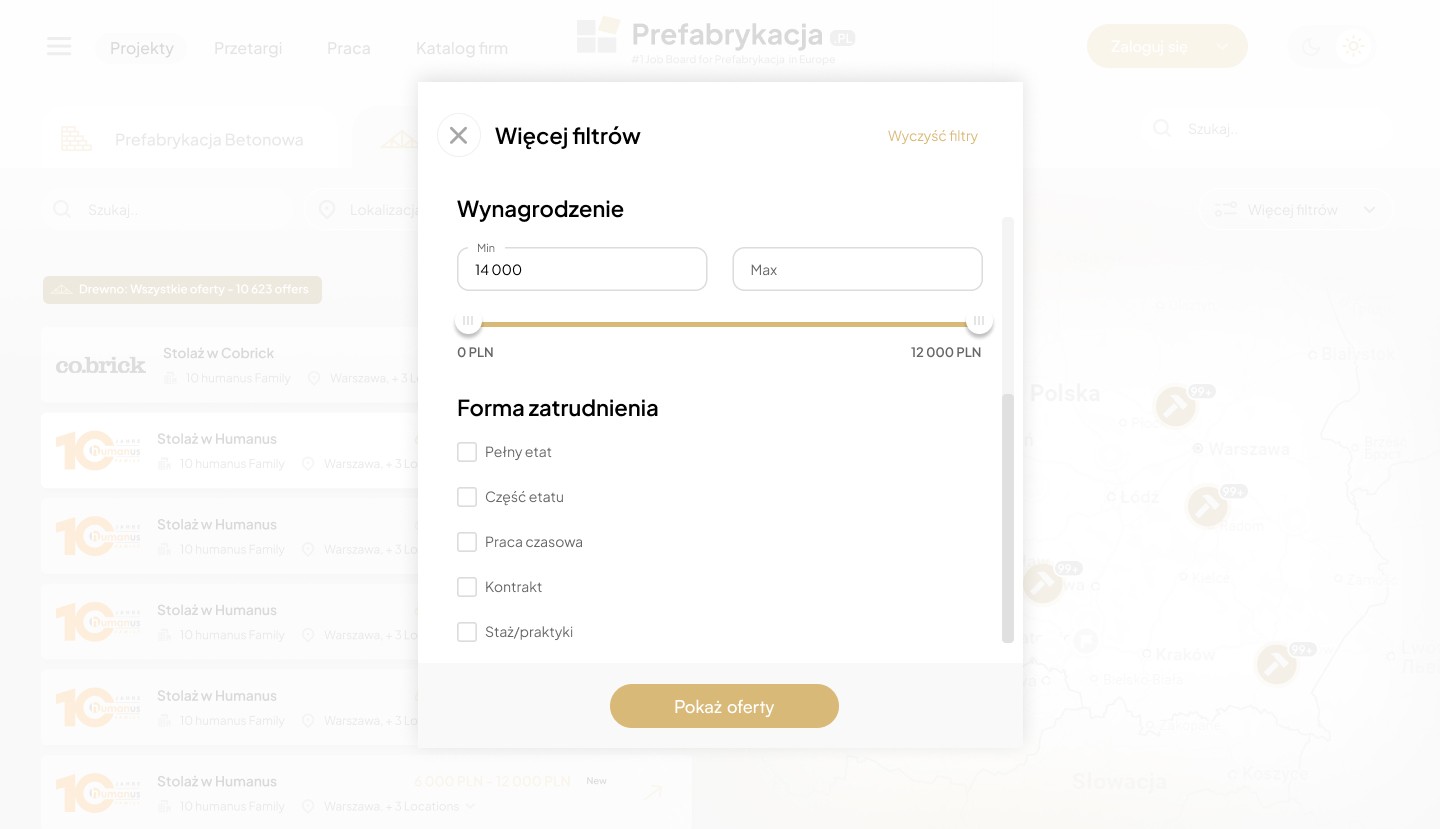
The Job Board is a key element of the portal, not only allowing for quick access to job offers in the prefabrication industry but also providing users with a user-friendly and effective tool for applying for positions they are interested in. Thanks to its well-designed structure and convenient filter system, a sticky map, and category selection, users can easily find offers that match their skills and professional needs, resulting in a more efficient recruitment process. Direct application for a position is also possible. Tabs on the portal allow users to filter out offers that do not interest the user.
Makieta UX platformy B2B dla branży prefabrykacji – Sebastian Niesporek.

Step 3

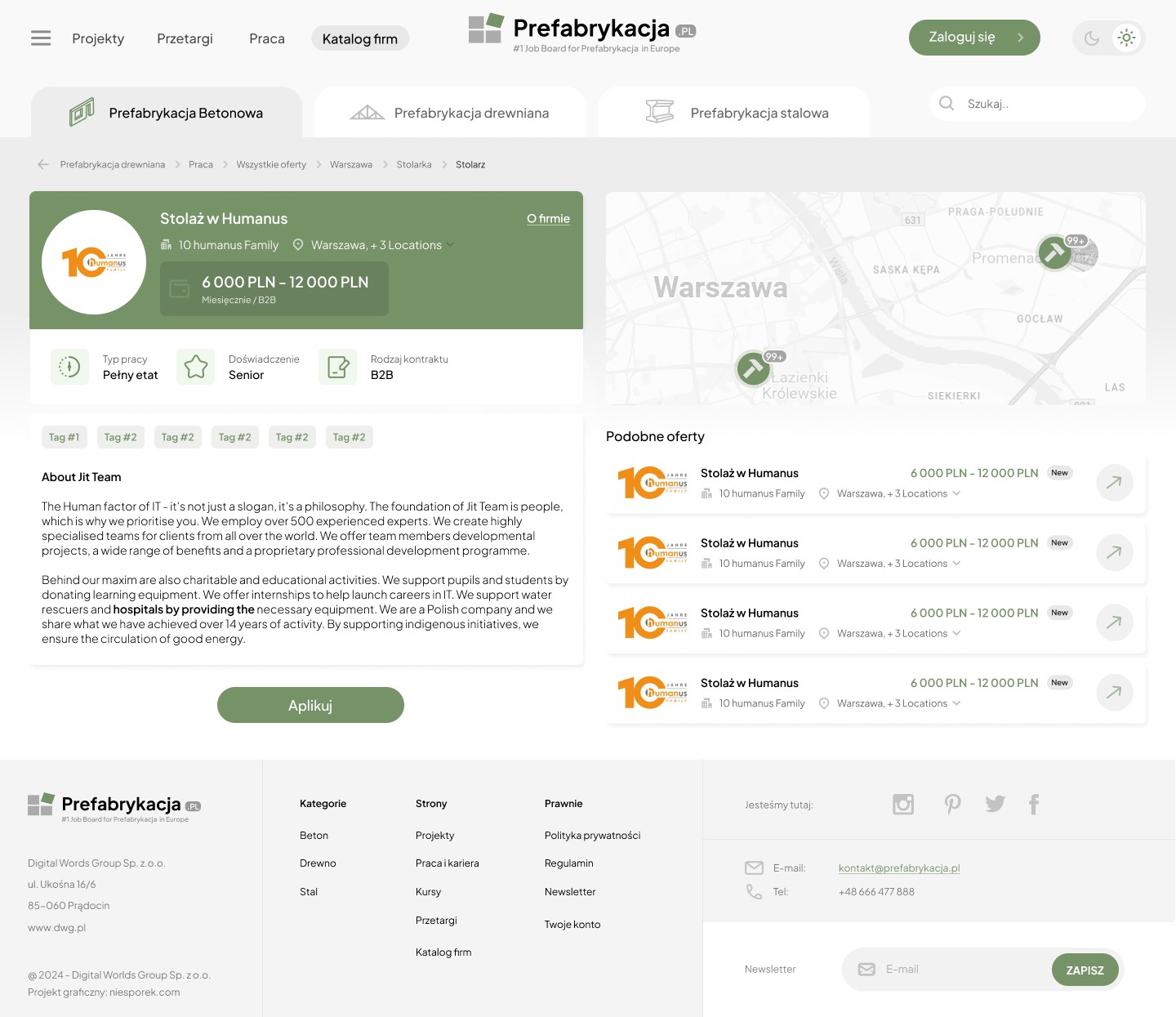
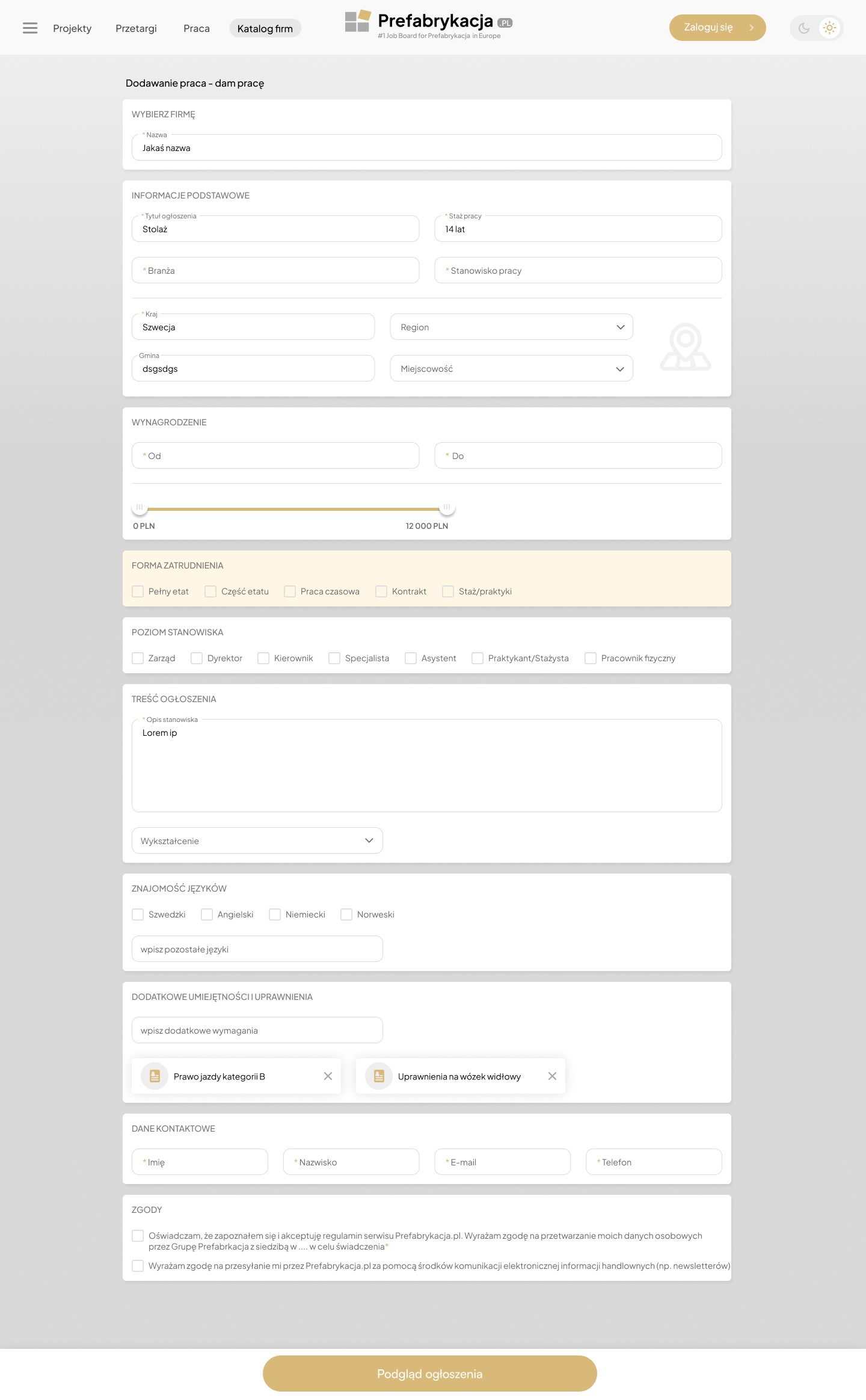
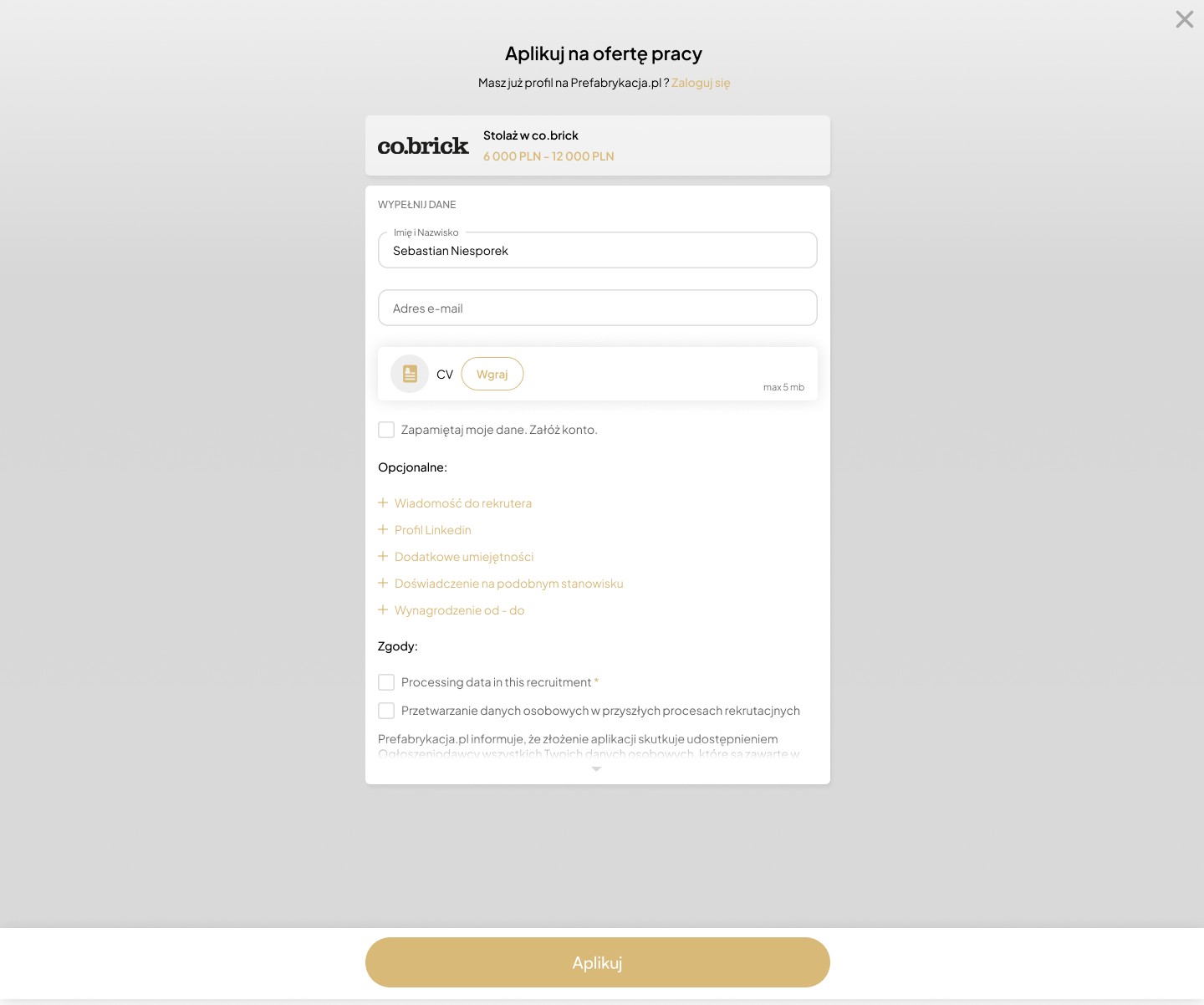
Improved application process – Sticky navigation bar + intuitive filter system

One of the key elements that improved the UX of the job application process was the implementation of a sticky navigation bar in the application form. The goal of this solution was to provide users with convenient access to the "Apply" and "Preview Application" options, regardless of their current stage in the application process.

Step 4

Prefabricated House Designs

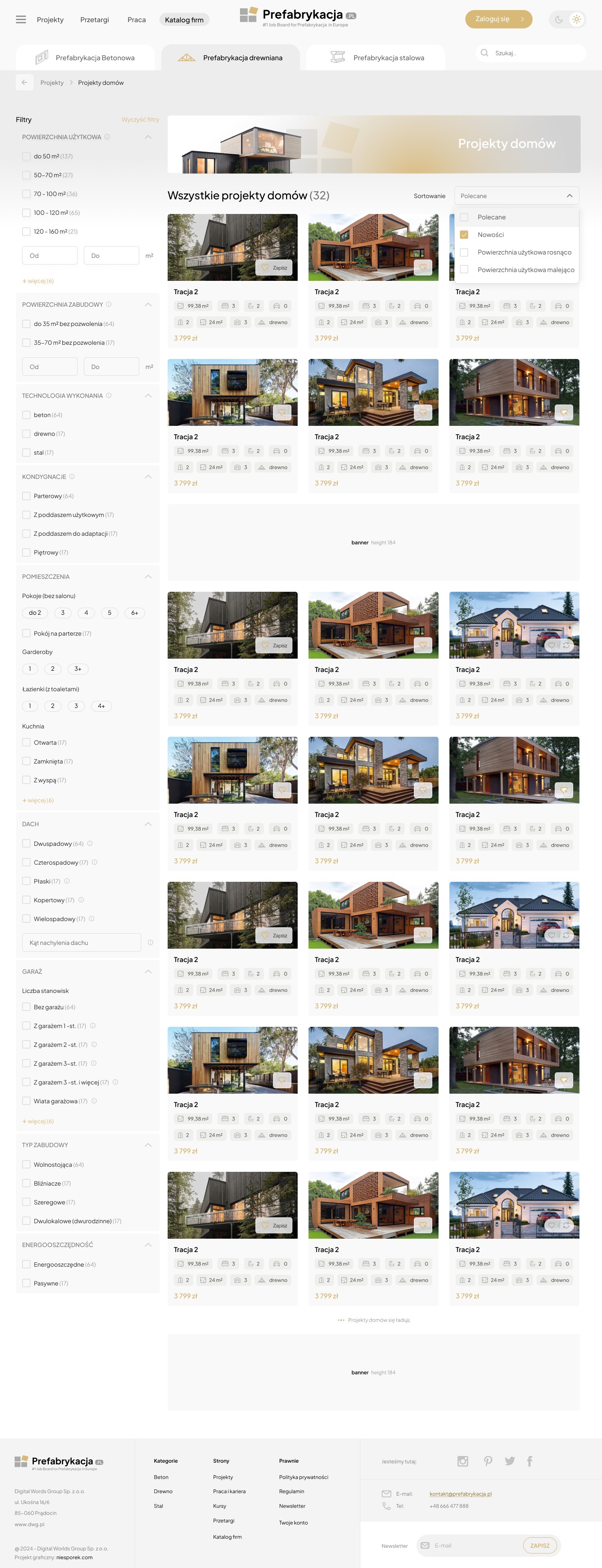
In this section of the portal, we focused on presenting users with a wide range of prefabricated home designs in a clear, intuitive, and inspiring manner. The main goal was to enable easy browsing and comparison of various home variants – both aesthetically and functionally.


UX Design Objectives:

Clear Structure: Users see key project information at a glance – square footage, number of rooms, development type, and estimated price.

Filter Options: Advanced filters (including square footage, number of floors, architectural style, and budget) have been implemented to help users quickly narrow down the results to designs that best meet their needs.

Intuitive Navigation: Each design leads to a dedicated subpage with a full description, 3D visualizations, floor plans, and the option to contact the manufacturer or architect.


UI Design Objectives:

Minimalist Layout: Designs are presented in responsive tabs, with a focus on visualizations and key technical details.

Consistent aesthetic: The design is based on a muted color palette and subtle typography that doesn't compete with the visual content.

Interactive accents: Microanimations and a hover effect were added to enhance the user experience and increase engagement.

The mockups reflect the need to combine the inspirational nature of a catalog with the usability typical of a decision-support tool. This allows users to not only browse designs but also actively compare and analyze them against their own expectations.

In this section of the portal, we focused on presenting users with a wide range of prefabricated home designs in a clear, intuitive, and inspiring manner. The main goal was to enable easy browsing and comparison of various home variants – both aesthetically and functionally.


UX Design Objectives:

Clear Structure: Users see key project information at a glance – square footage, number of rooms, development type, and estimated price.

Filter Options: Advanced filters (including square footage, number of floors, architectural style, and budget) have been implemented to help users quickly narrow down the results to designs that best meet their needs.

Intuitive Navigation: Each design leads to a dedicated subpage with a full description, 3D visualizations, floor plans, and the option to contact the manufacturer or architect.


UI Design Objectives:

Minimalist Layout: Designs are presented in responsive tabs, with a focus on visualizations and key technical details.

Consistent aesthetic: The design is based on a muted color palette and subtle typography that doesn't compete with the visual content.

Interactive accents: Microanimations and a hover effect were added to enhance the user experience and increase engagement.

The mockups reflect the need to combine the inspirational nature of a catalog with the usability typical of a decision-support tool. This allows users to not only browse designs but also actively compare and analyze them against their own expectations.

In this section of the portal, we focused on presenting users with a wide range of prefabricated home designs in a clear, intuitive, and inspiring manner. The main goal was to enable easy browsing and comparison of various home variants – both aesthetically and functionally.


UX Design Objectives:

Clear Structure: Users see key project information at a glance – square footage, number of rooms, development type, and estimated price.

Filter Options: Advanced filters (including square footage, number of floors, architectural style, and budget) have been implemented to help users quickly narrow down the results to designs that best meet their needs.

Intuitive Navigation: Each design leads to a dedicated subpage with a full description, 3D visualizations, floor plans, and the option to contact the manufacturer or architect.


UI Design Objectives:

Minimalist Layout: Designs are presented in responsive tabs, with a focus on visualizations and key technical details.

Consistent aesthetic: The design is based on a muted color palette and subtle typography that doesn't compete with the visual content.

Interactive accents: Microanimations and a hover effect were added to enhance the user experience and increase engagement.

The mockups reflect the need to combine the inspirational nature of a catalog with the usability typical of a decision-support tool. This allows users to not only browse designs but also actively compare and analyze them against their own expectations.

Step 5

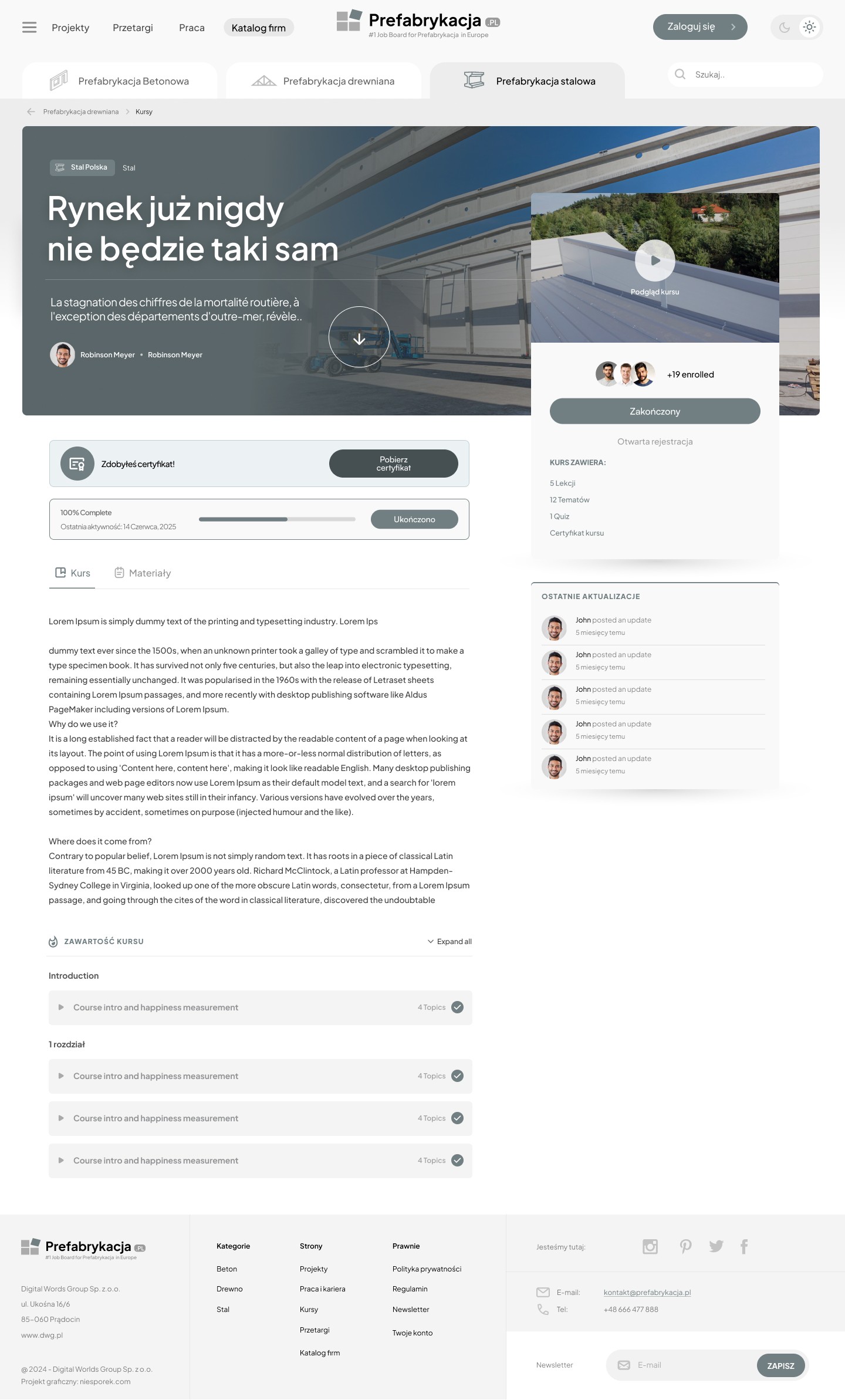
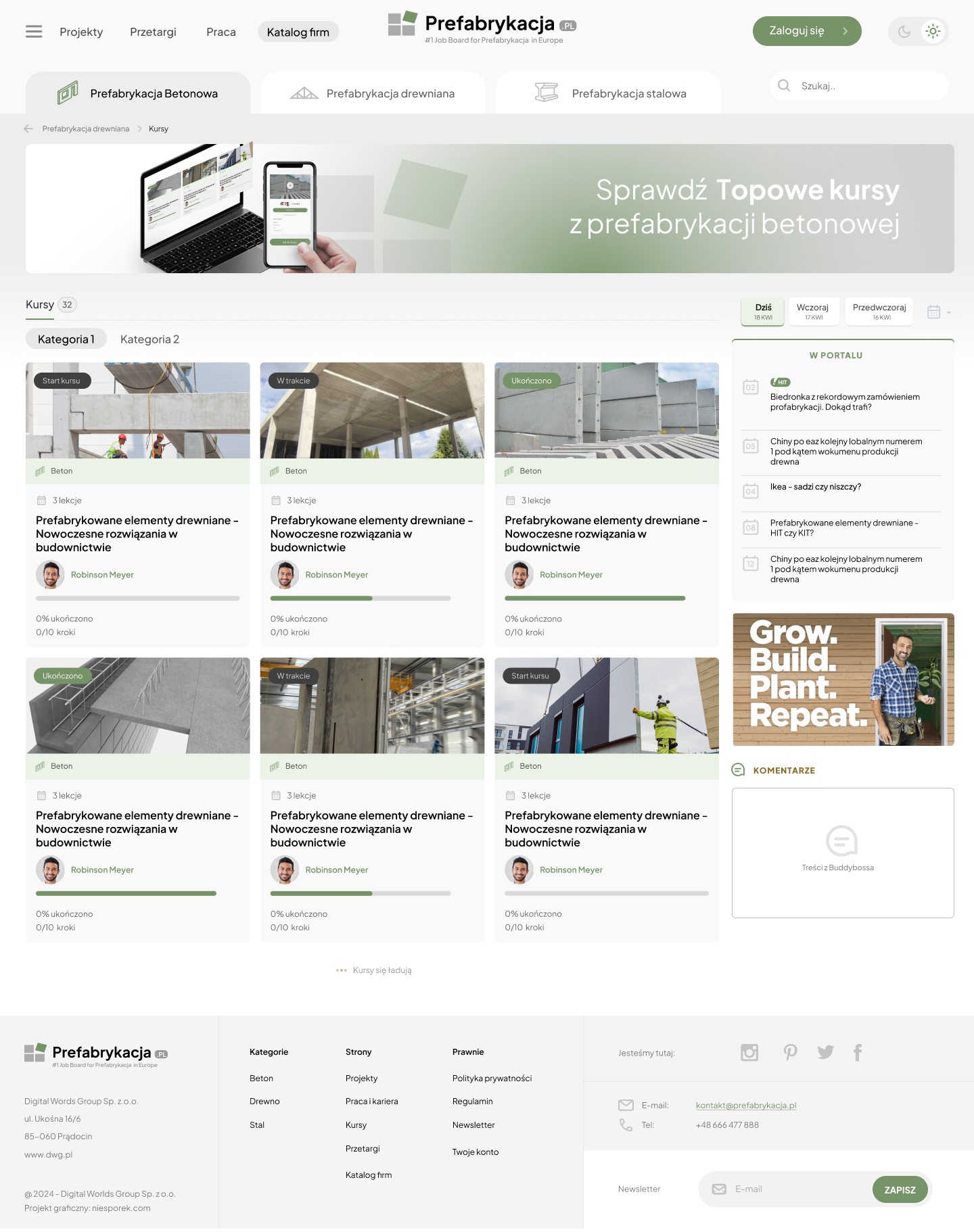
Online Course Mockups – Platform based on BuddyBoss
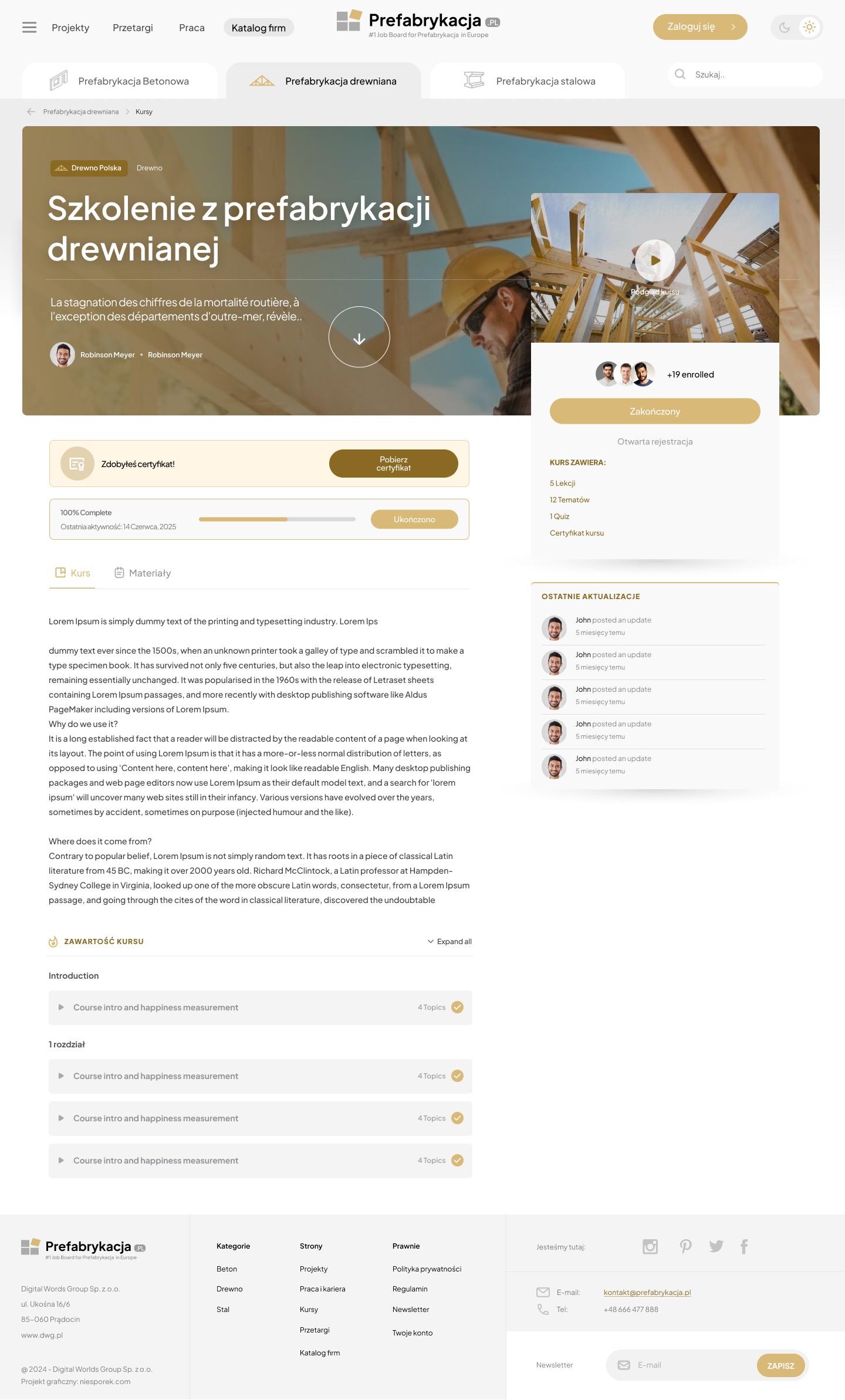
When working on mockups for online course sections, I leveraged the capabilities of the BuddyBoss framework, focusing on optimizing the user experience and improving readability and engagement in the learning process.


Key UX Design Objectives:

Redefining the User Journey: I analyzed course participant behavior and simplified the path from enrolling in the course to beginning learning. Key actions (continue learning, review modules, and contact a mentor) are available immediately upon entering the course page.

Microinteractions to Increase Engagement: We used subtle animations and progress indicators to help users stay motivated and feel in control of their learning.

Clear Information Architecture: The courses are divided into modules and lessons, with quick access to content, completion status, and grades. This makes it easier to return to the materials and manage their learning time.

Responsiveness and Accessibility: All mockup elements are designed with mobile devices in mind, incorporating WCAG accessibility standards to ensure comfortable access to the courses for the widest possible audience.

Designing based on BuddyBoss provided a solid functional foundation, but we focused on further customization – optimizing the interface to meet real user needs, simplifying complex processes, and ensuring high-quality interactions.

When working on mockups for online course sections, I leveraged the capabilities of the BuddyBoss framework, focusing on optimizing the user experience and improving readability and engagement in the learning process.


Key UX Design Objectives:

Redefining the User Journey: I analyzed course participant behavior and simplified the path from enrolling in the course to beginning learning. Key actions (continue learning, review modules, and contact a mentor) are available immediately upon entering the course page.

Microinteractions to Increase Engagement: We used subtle animations and progress indicators to help users stay motivated and feel in control of their learning.

Clear Information Architecture: The courses are divided into modules and lessons, with quick access to content, completion status, and grades. This makes it easier to return to the materials and manage their learning time.

Responsiveness and Accessibility: All mockup elements are designed with mobile devices in mind, incorporating WCAG accessibility standards to ensure comfortable access to the courses for the widest possible audience.

Designing based on BuddyBoss provided a solid functional foundation, but we focused on further customization – optimizing the interface to meet real user needs, simplifying complex processes, and ensuring high-quality interactions.

When working on mockups for online course sections, I leveraged the capabilities of the BuddyBoss framework, focusing on optimizing the user experience and improving readability and engagement in the learning process.


Key UX Design Objectives:

Redefining the User Journey: I analyzed course participant behavior and simplified the path from enrolling in the course to beginning learning. Key actions (continue learning, review modules, and contact a mentor) are available immediately upon entering the course page.

Microinteractions to Increase Engagement: We used subtle animations and progress indicators to help users stay motivated and feel in control of their learning.

Clear Information Architecture: The courses are divided into modules and lessons, with quick access to content, completion status, and grades. This makes it easier to return to the materials and manage their learning time.

Responsiveness and Accessibility: All mockup elements are designed with mobile devices in mind, incorporating WCAG accessibility standards to ensure comfortable access to the courses for the widest possible audience.

Designing based on BuddyBoss provided a solid functional foundation, but we focused on further customization – optimizing the interface to meet real user needs, simplifying complex processes, and ensuring high-quality interactions.

Makieta UX platformy B2B dla branży prefabrykacji – Sebastian Niesporek.

Step 6

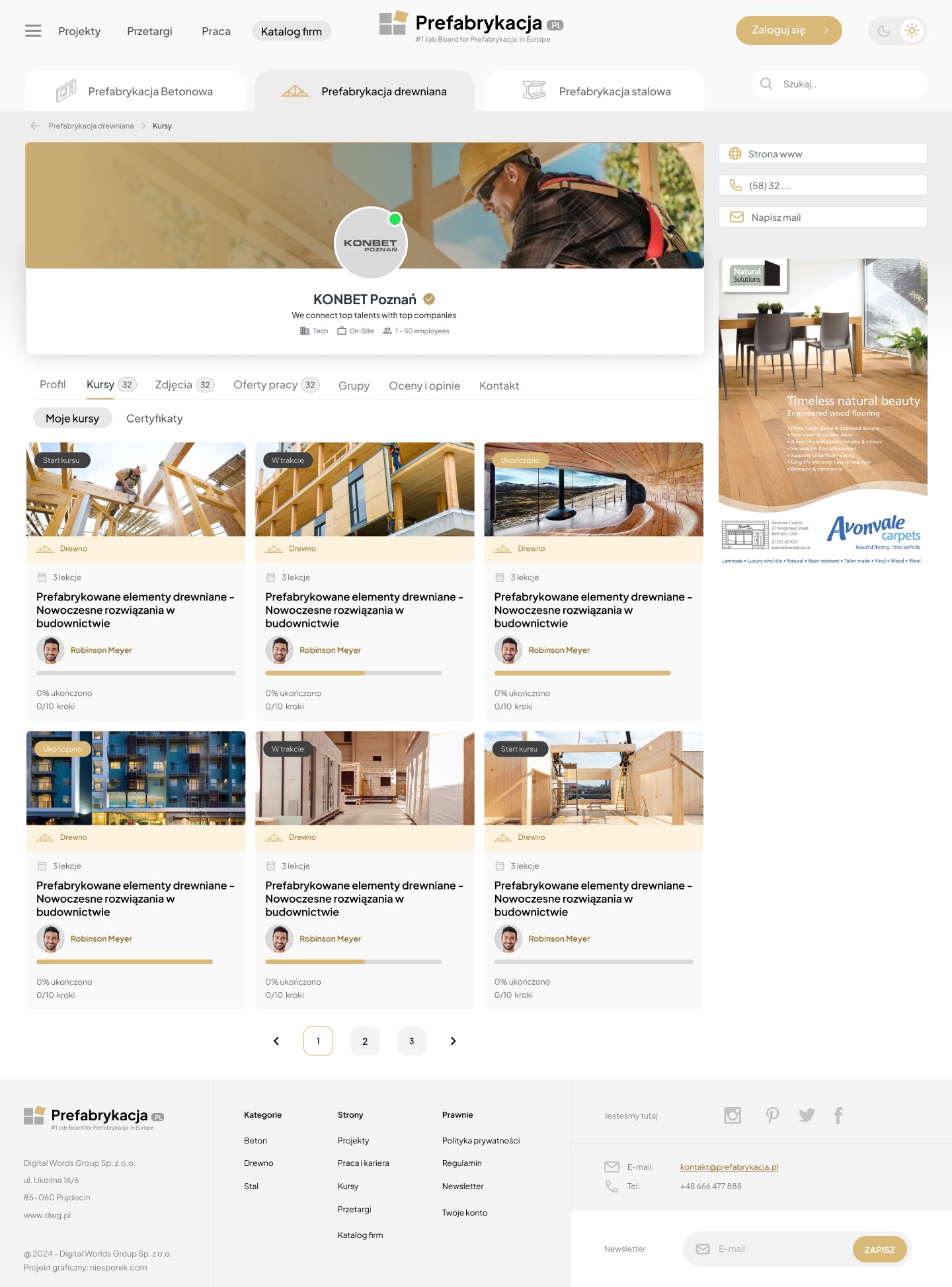
BuddyBoss – Portal profile

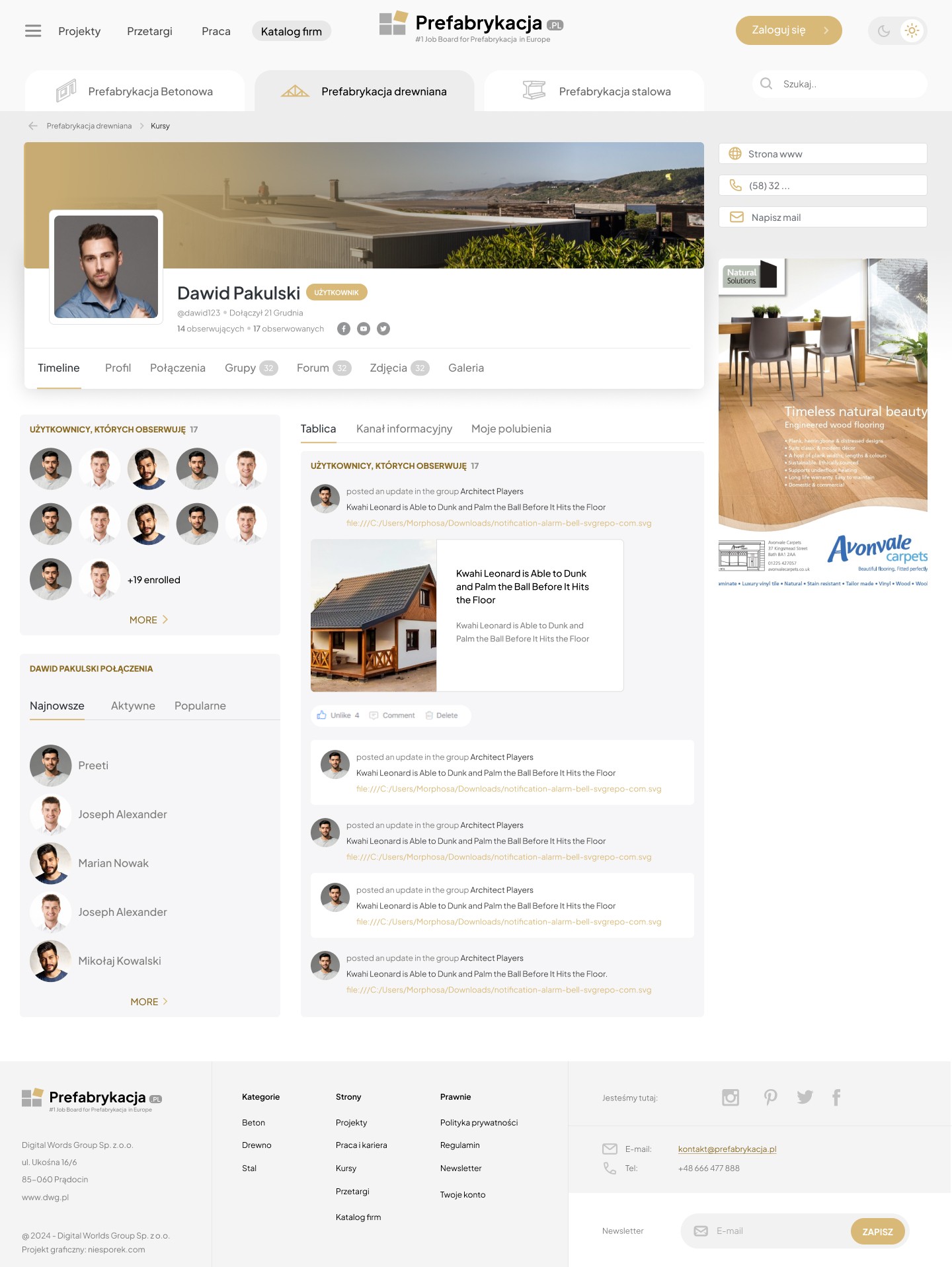
In our project, the BuddyBoss platform was used as a framework for creating an educational and social space in the prefabrication area. Thanks to ready-made solutions and a flexible interface, we were able to focus on the user experience (UX), designing:

a clear course structure,

engaging user profiles,

a knowledge zone with comments and ratings,

a forum for specialists and investors,

a notification and learning progress system.

Result: BuddyBoss significantly shortened the MVP implementation time while providing a solid technological foundation for further customization and development of the platform.
Makieta UX platformy B2B dla branży prefabrykacji – Sebastian Niesporek.

Step 7

View expert advice

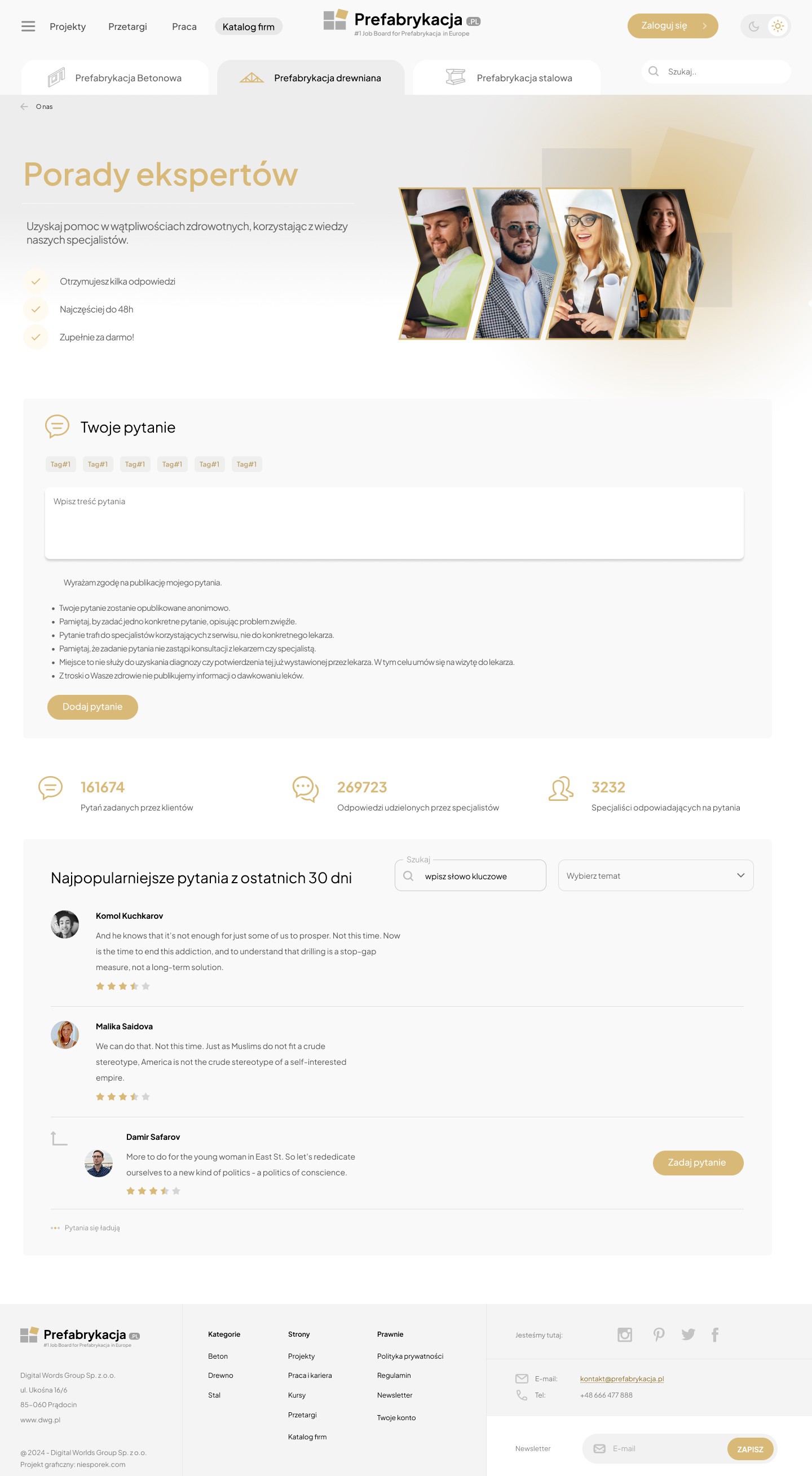
The "Expert Advice" section was designed as a space for dialogue between users and prefabrication industry specialists. The primary goal was to build a valuable knowledge-sharing channel that also serves as a soft call-to-action for individual consultations.


Key UX Design Objectives:

Minimum Barrier to Entry: Users can quickly ask questions without having to create an account or fill out complex forms. The priority was to reduce friction and encourage interaction.

Question and Answer Structure: User questions are presented as cards with sorting options (newest, most popular), and expert answers are visually distinguished, emphasizing their authority.

Trustworthiness: Basic information (name, photo, specialization) is placed next to each expert, enhancing the credibility of the answer and building a relationship with the user.

Micro-Conversion via CTA: Each expert's answer features a discreet but prominent "Get Consulted" button—placed within the context of the expert's substantive advice, increasing the likelihood of a click. This allows users to naturally transition from questions to deeper collaboration.

Responsiveness and Accessibility: The entire experience has been designed with mobile accessibility and readability in mind, even with long content.

Result: The "Expert Advice" feature combines a social networking feature with a lead generation tool, without the pushiness of a sales pitch – this allows users to feel they're receiving real value first and only then decide whether to continue contacting them.

The "Expert Advice" section was designed as a space for dialogue between users and prefabrication industry specialists. The primary goal was to build a valuable knowledge-sharing channel that also serves as a soft call-to-action for individual consultations.


Key UX Design Objectives:

Minimum Barrier to Entry: Users can quickly ask questions without having to create an account or fill out complex forms. The priority was to reduce friction and encourage interaction.

Question and Answer Structure: User questions are presented as cards with sorting options (newest, most popular), and expert answers are visually distinguished, emphasizing their authority.

Trustworthiness: Basic information (name, photo, specialization) is placed next to each expert, enhancing the credibility of the answer and building a relationship with the user.

Micro-Conversion via CTA: Each expert's answer features a discreet but prominent "Get Consulted" button—placed within the context of the expert's substantive advice, increasing the likelihood of a click. This allows users to naturally transition from questions to deeper collaboration.

Responsiveness and Accessibility: The entire experience has been designed with mobile accessibility and readability in mind, even with long content.

Result: The "Expert Advice" feature combines a social networking feature with a lead generation tool, without the pushiness of a sales pitch – this allows users to feel they're receiving real value first and only then decide whether to continue contacting them.

The "Expert Advice" section was designed as a space for dialogue between users and prefabrication industry specialists. The primary goal was to build a valuable knowledge-sharing channel that also serves as a soft call-to-action for individual consultations.


Key UX Design Objectives:

Minimum Barrier to Entry: Users can quickly ask questions without having to create an account or fill out complex forms. The priority was to reduce friction and encourage interaction.

Question and Answer Structure: User questions are presented as cards with sorting options (newest, most popular), and expert answers are visually distinguished, emphasizing their authority.

Trustworthiness: Basic information (name, photo, specialization) is placed next to each expert, enhancing the credibility of the answer and building a relationship with the user.

Micro-Conversion via CTA: Each expert's answer features a discreet but prominent "Get Consulted" button—placed within the context of the expert's substantive advice, increasing the likelihood of a click. This allows users to naturally transition from questions to deeper collaboration.

Responsiveness and Accessibility: The entire experience has been designed with mobile accessibility and readability in mind, even with long content.

Result: The "Expert Advice" feature combines a social networking feature with a lead generation tool, without the pushiness of a sales pitch – this allows users to feel they're receiving real value first and only then decide whether to continue contacting them.

Makieta UX platformy B2B dla branży prefabrykacji – Sebastian Niesporek.

Step 8

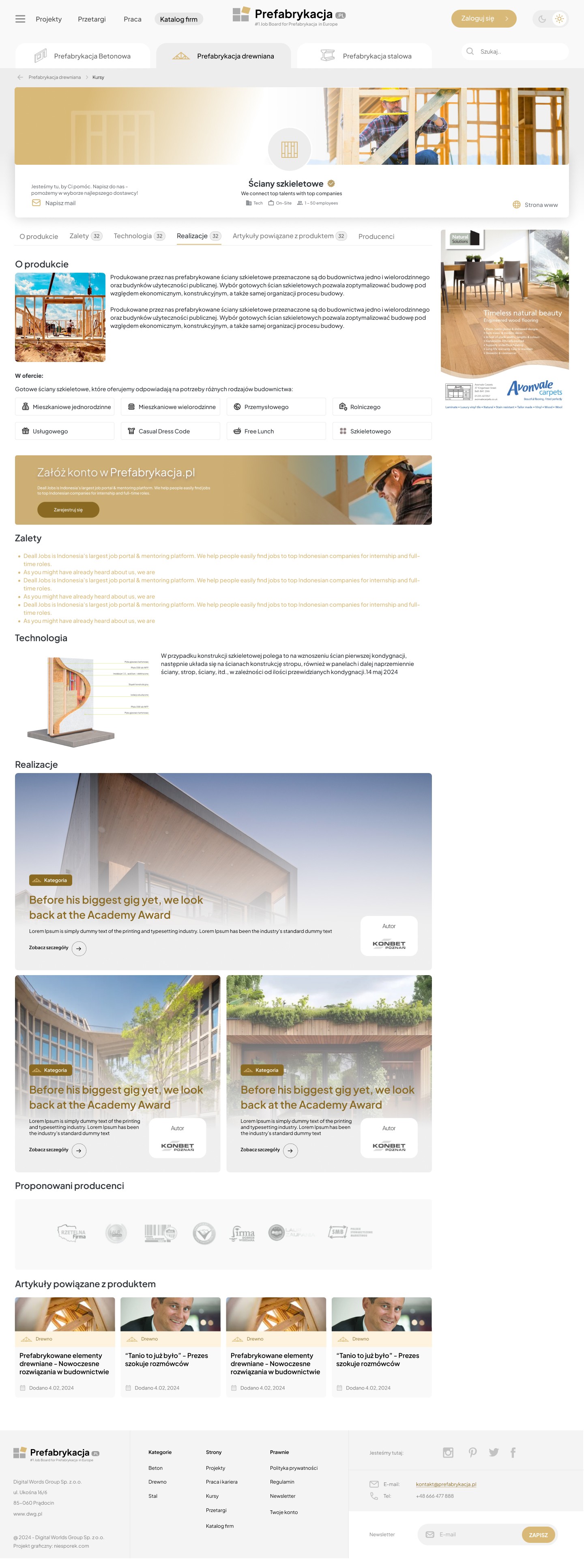
Single Product Page

Project Goal:

Create a product page for a prefabricated element (e.g., wall, ceiling, module) that not only informs but also converts – as part of a prefabrication manufacturer's catalog.

Challenge:

Prefabricated products are often technical and difficult to understand for users without industry experience. It was necessary to combine technical accuracy with a clear, accessible message – while also supporting the purchasing decision or contact.

Project Goal:

Create a product page for a prefabricated element (e.g., wall, ceiling, module) that not only informs but also converts – as part of a prefabrication manufacturer's catalog.

Challenge:

Prefabricated products are often technical and difficult to understand for users without industry experience. It was necessary to combine technical accuracy with a clear, accessible message – while also supporting the purchasing decision or contact.

Project Goal:

Create a product page for a prefabricated element (e.g., wall, ceiling, module) that not only informs but also converts – as part of a prefabrication manufacturer's catalog.

Challenge:

Prefabricated products are often technical and difficult to understand for users without industry experience. It was necessary to combine technical accuracy with a clear, accessible message – while also supporting the purchasing decision or contact.

Makieta UX platformy B2B dla branży prefabrykacji – Sebastian Niesporek.

Step 9

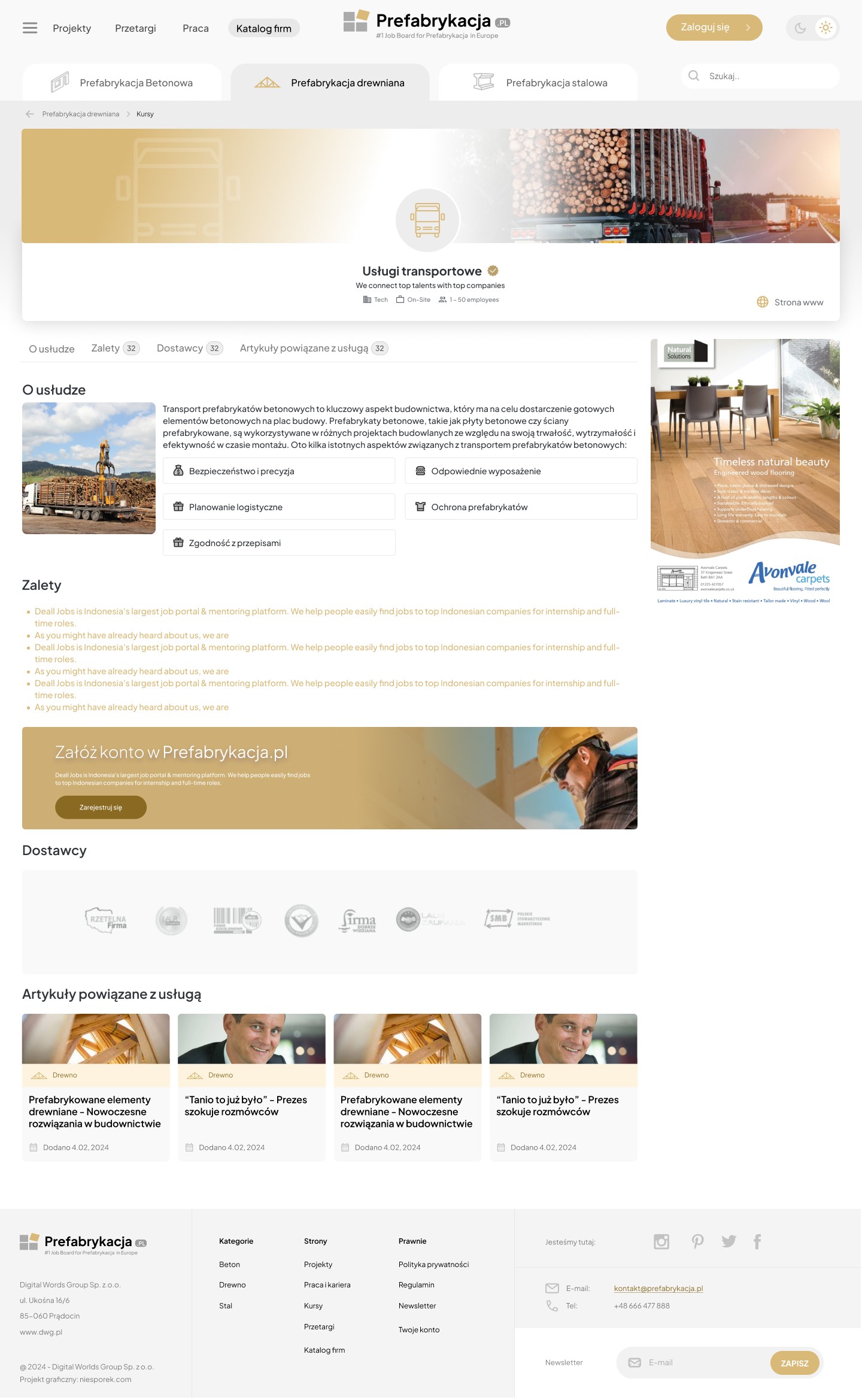
Single Service Page

Project Goal:

Create a product page for a prefabricated element (e.g., wall, ceiling, module) that not only informs but also converts – as part of a prefabrication manufacturer's catalog.


Challenge:

Prefabricated products are often technical and difficult to understand for users without industry experience. It was necessary to combine technical accuracy with a clear, accessible message – while also supporting the purchasing decision or contact.

Project Goal:

Create a product page for a prefabricated element (e.g., wall, ceiling, module) that not only informs but also converts – as part of a prefabrication manufacturer's catalog.


Challenge:

Prefabricated products are often technical and difficult to understand for users without industry experience. It was necessary to combine technical accuracy with a clear, accessible message – while also supporting the purchasing decision or contact.

Project Goal:

Create a product page for a prefabricated element (e.g., wall, ceiling, module) that not only informs but also converts – as part of a prefabrication manufacturer's catalog.


Challenge:

Prefabricated products are often technical and difficult to understand for users without industry experience. It was necessary to combine technical accuracy with a clear, accessible message – while also supporting the purchasing decision or contact.

Makieta UX platformy B2B dla branży prefabrykacji – Sebastian Niesporek.

Step 10

Article View with Comments

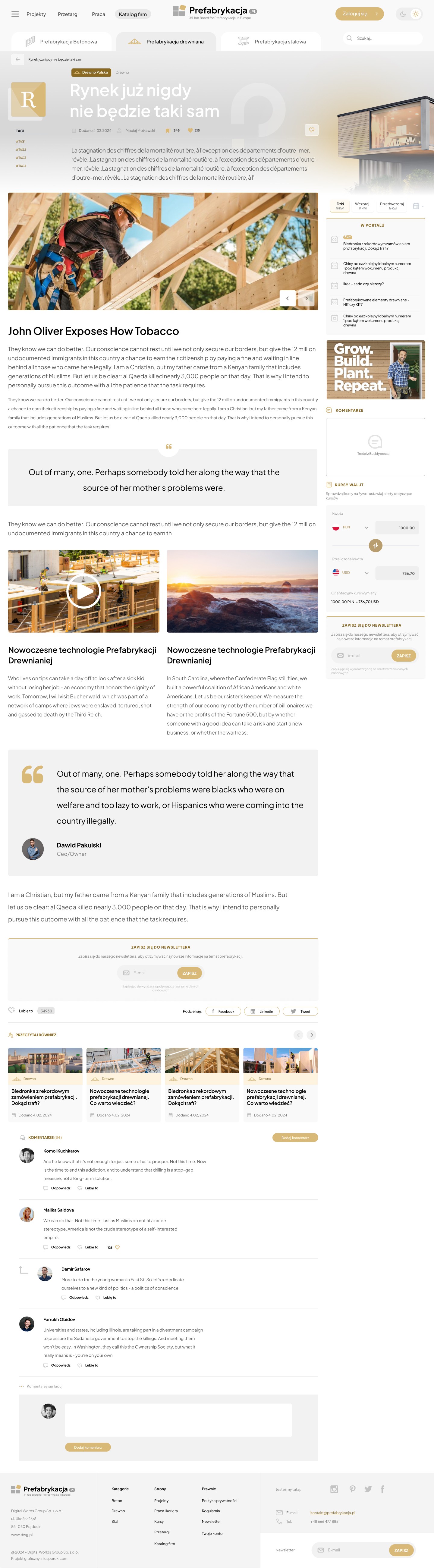
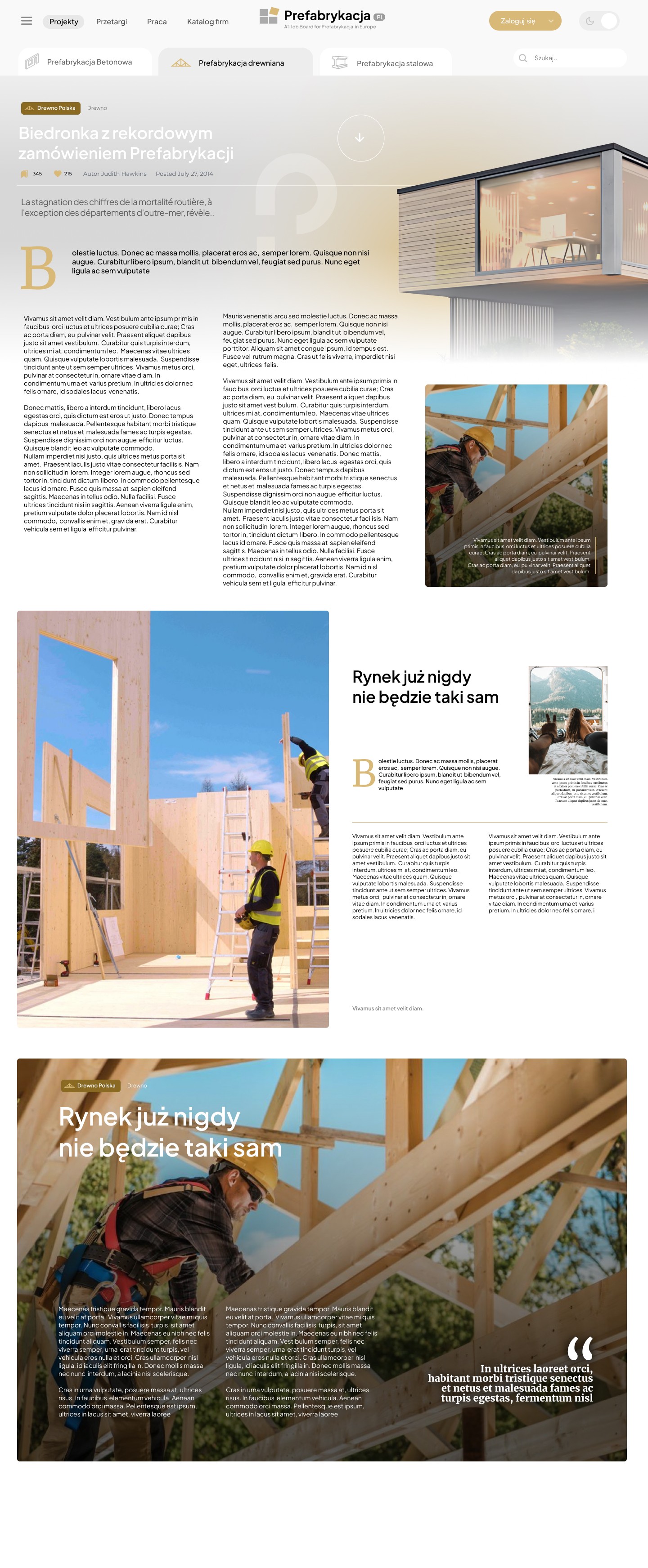
Designing an intuitive and engaging single-article view that not only presents content in an attractive format but also supports long-term user engagement, including through comments, newsletter subscriptions, and multimedia elements. I also designed additional proposals with magazine-style components.
Makieta UX platformy B2B dla branży prefabrykacji – Sebastian Niesporek.

Step 11

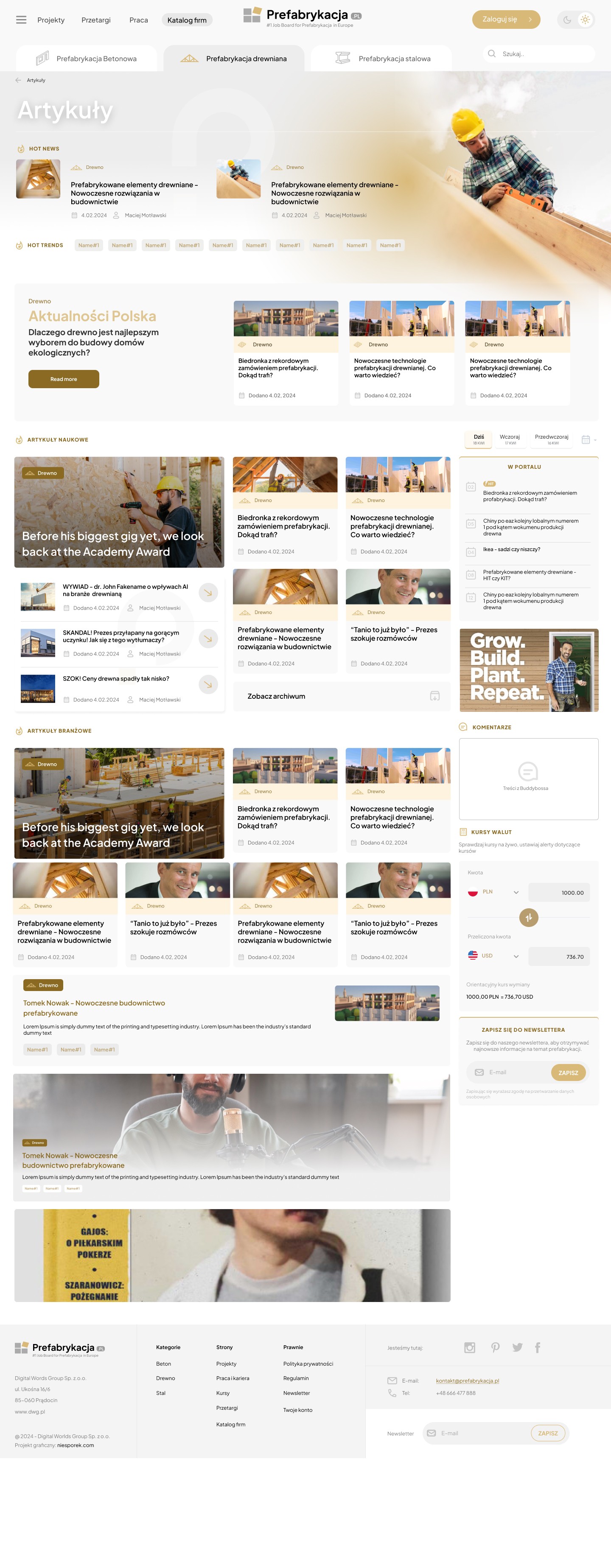
Article listing

Creating a structured, attractive, and easy-to-explore subpage with articles, tips, news, and inspiration. The key goal was to increase time spent on the site and facilitate access to expert knowledge.

Makieta UX platformy B2B dla branży prefabrykacji – Sebastian Niesporek.

Step 12

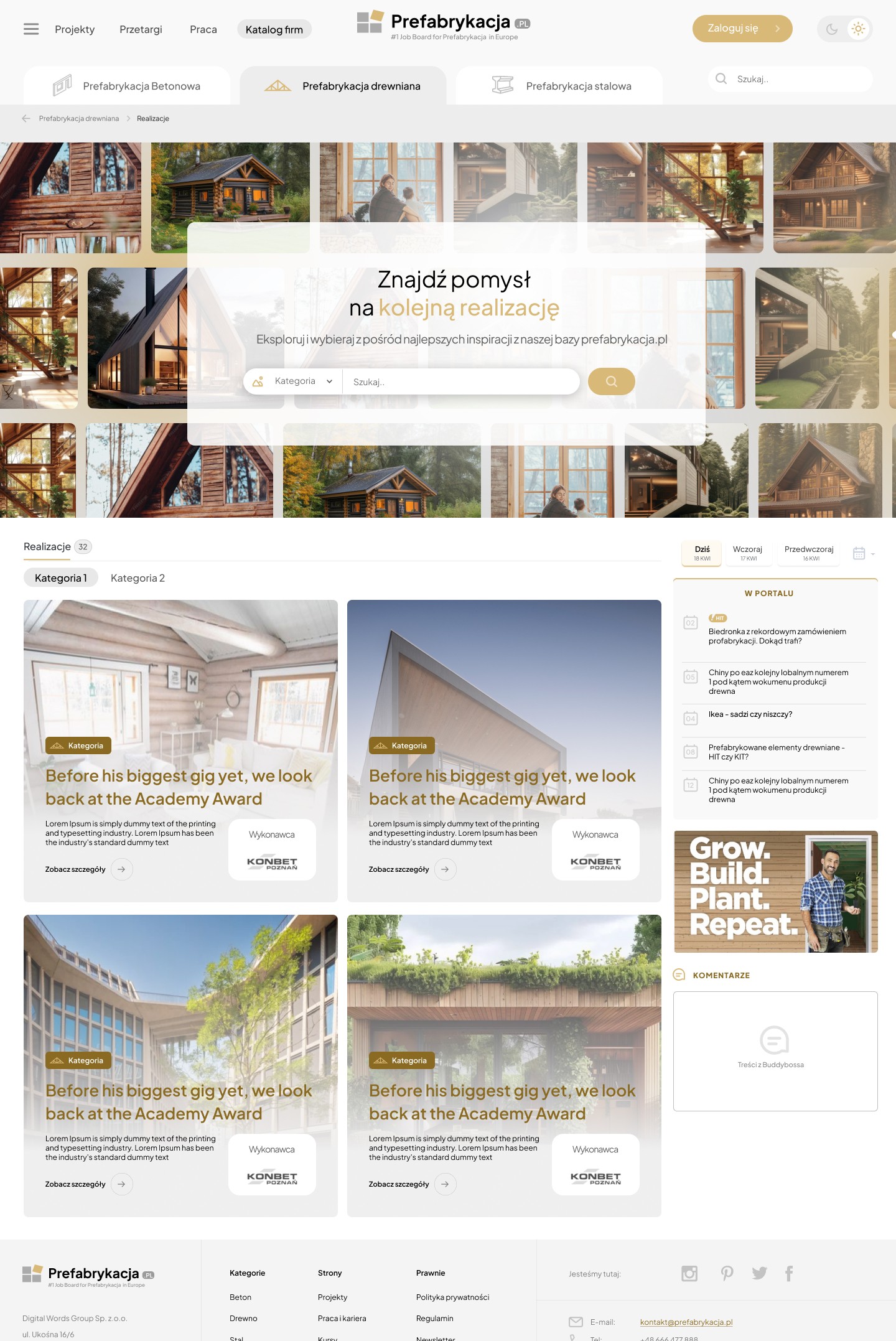
Find an idea for your next project

Designing an intuitive and engaging single-article view that not only presents the content in an attractive format but also supports long-term user engagement – ​​including through comments, newsletter subscriptions, and multimedia elements. I also designed additional proposals with magazine-style components.
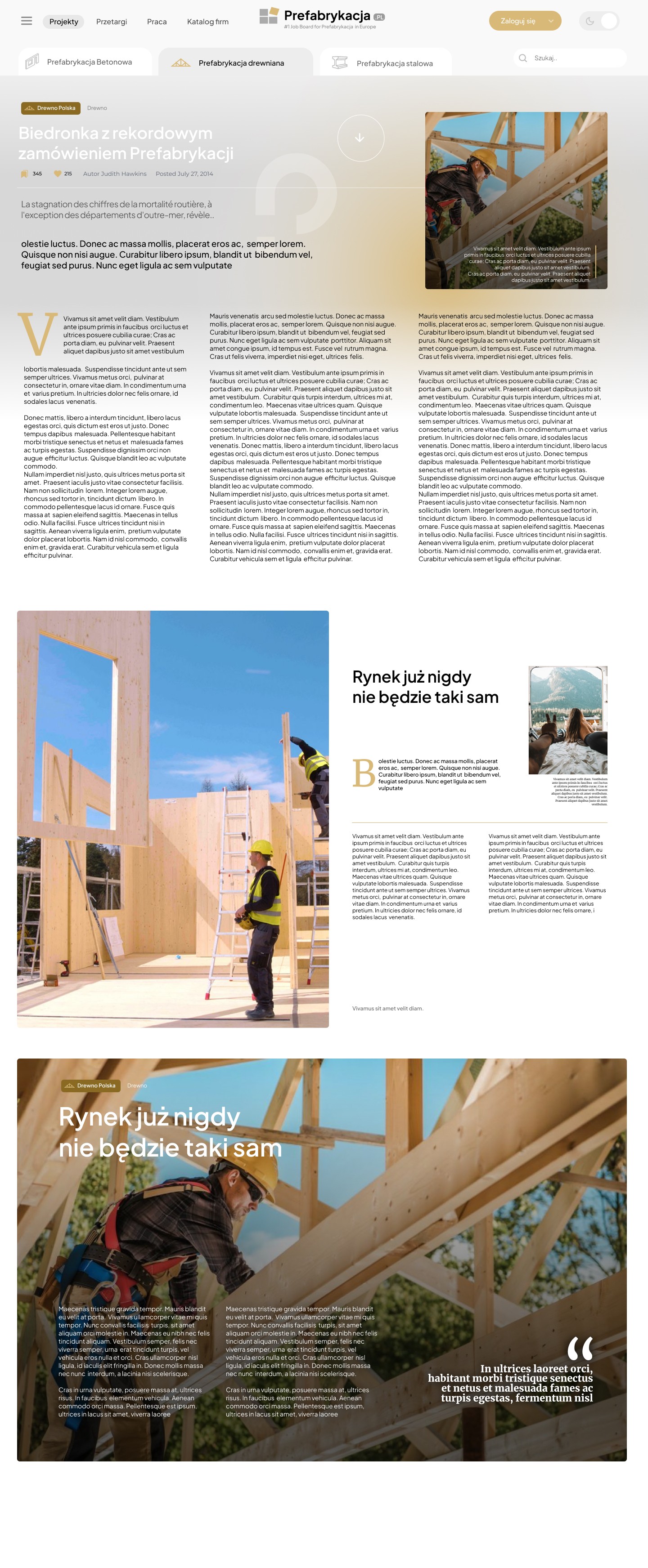
The result? The mockup allows the user to immerse themselves in the world of prefabrication through the lens of aesthetics and functionality, rather than technology alone. Thanks to this solution, the inspiration page not only builds engagement but also directs users to specific products and services – supporting lead generation.

Makieta UX platformy B2B dla branży prefabrykacji – Sebastian Niesporek.

Step 13

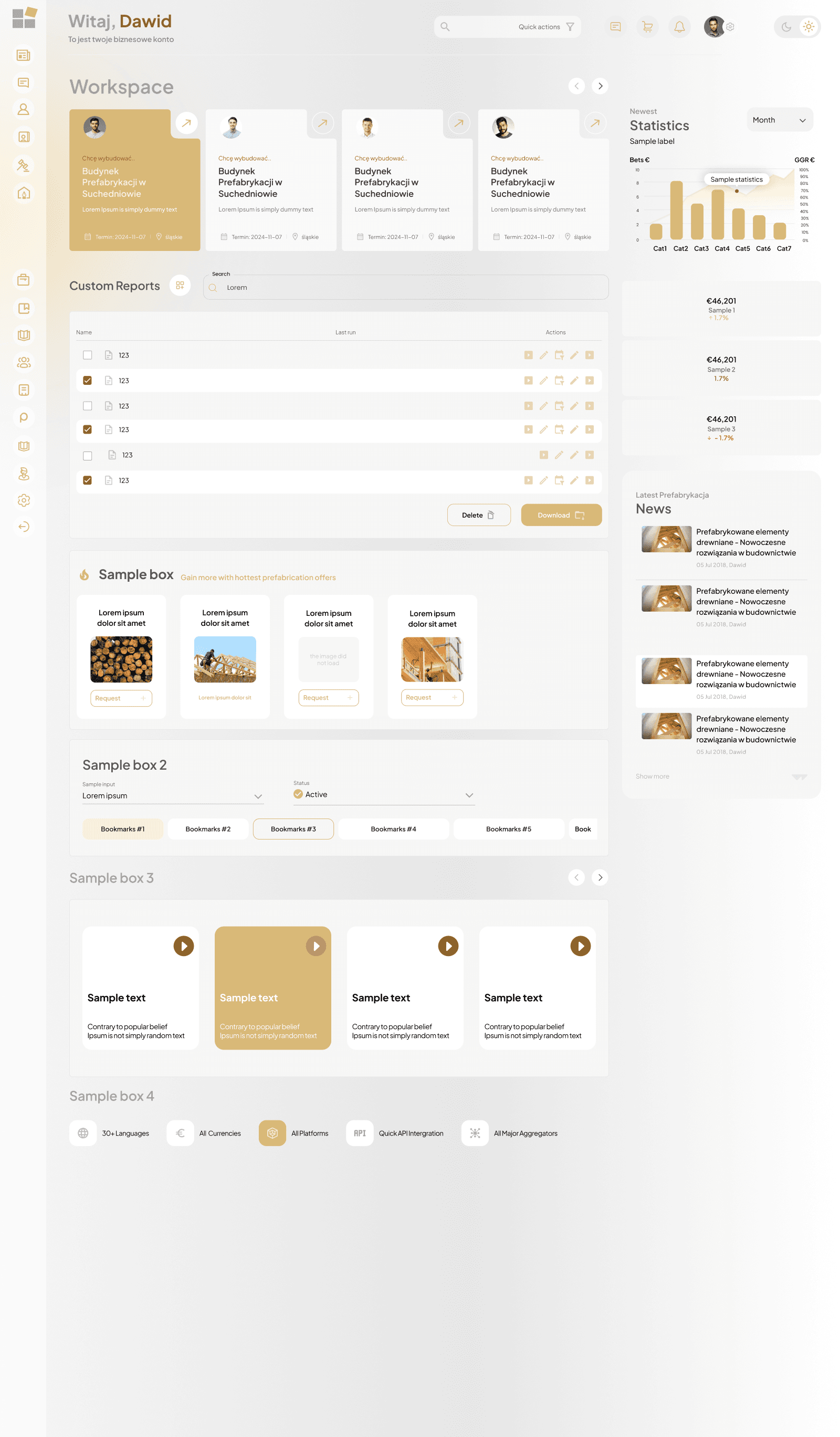
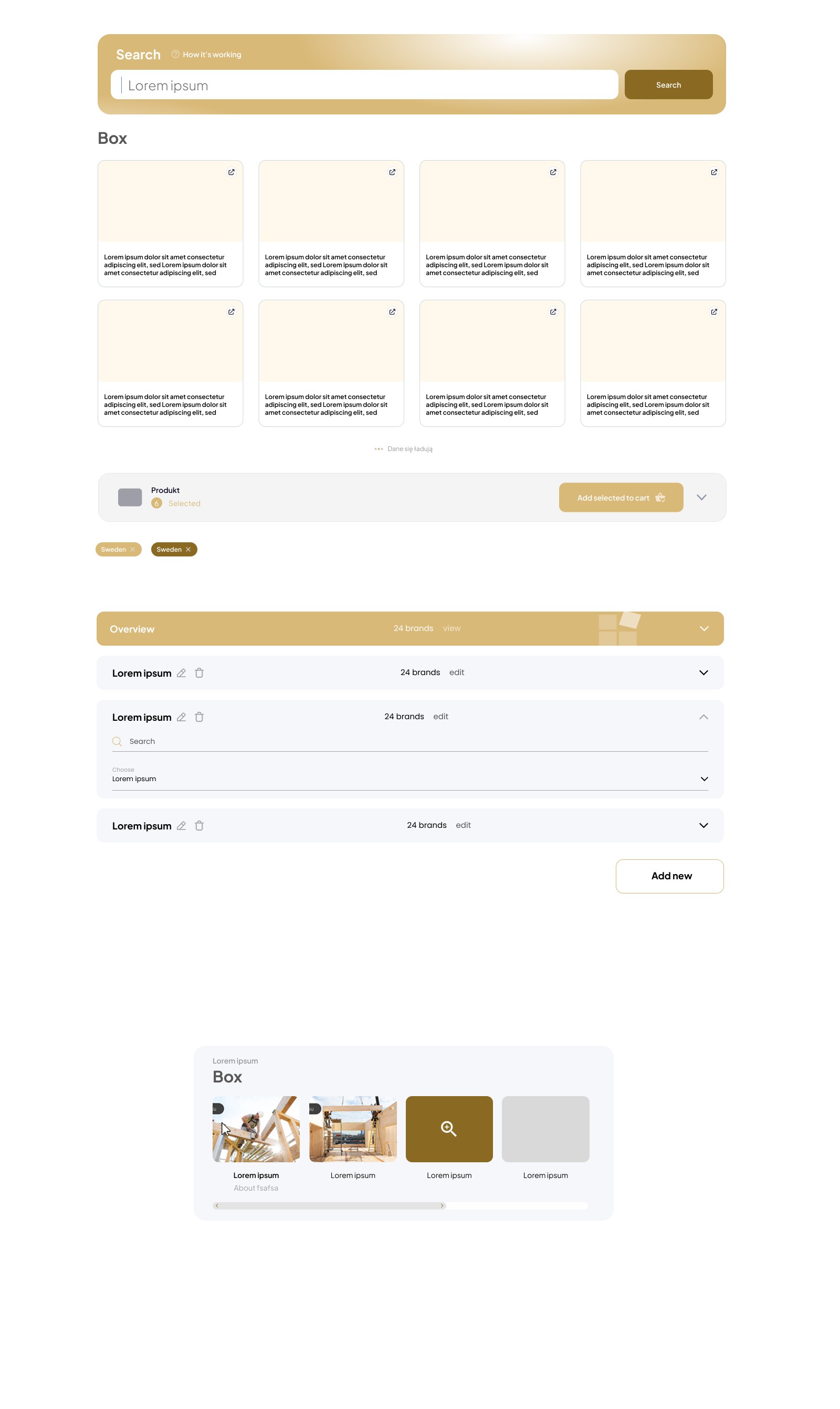
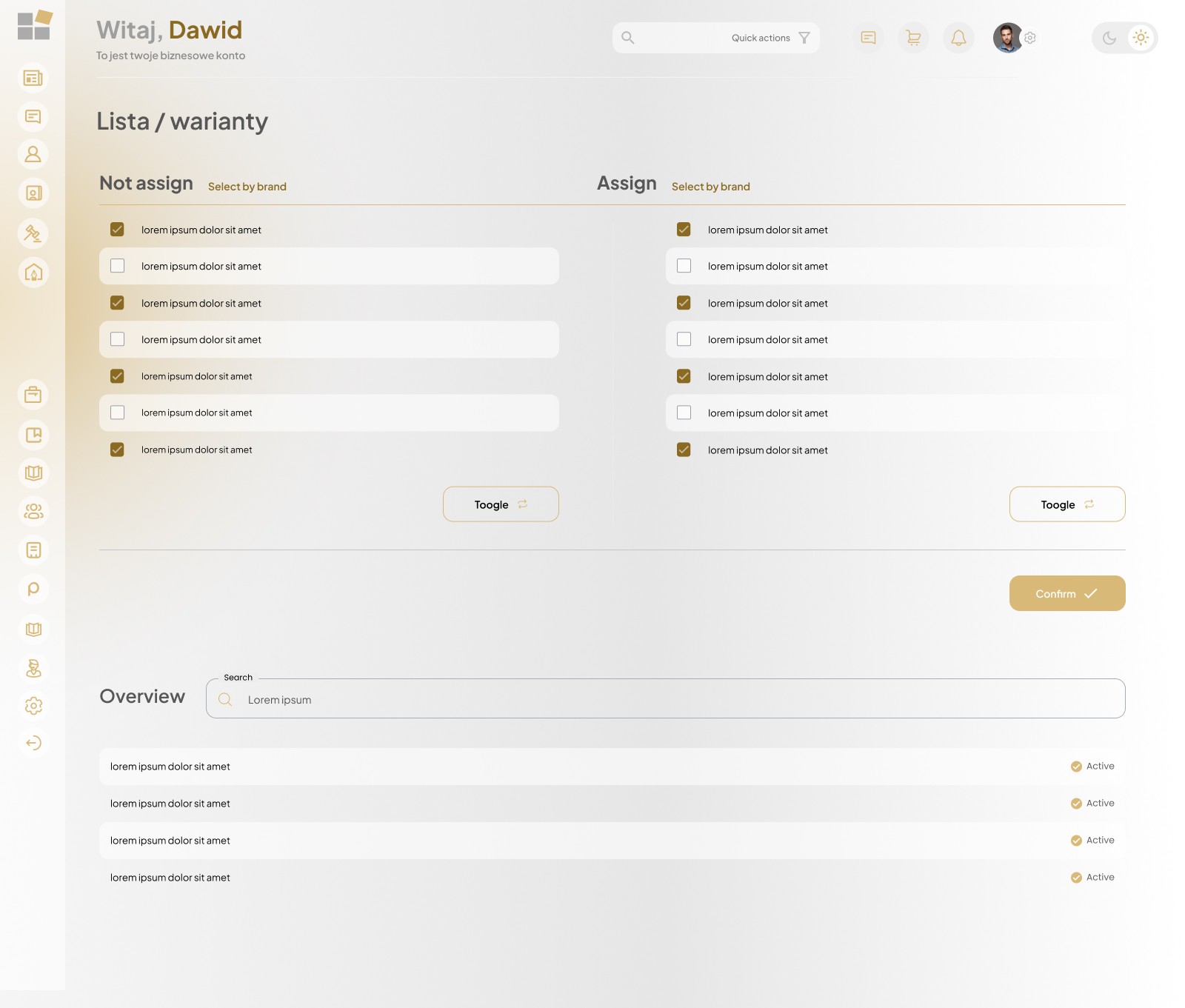
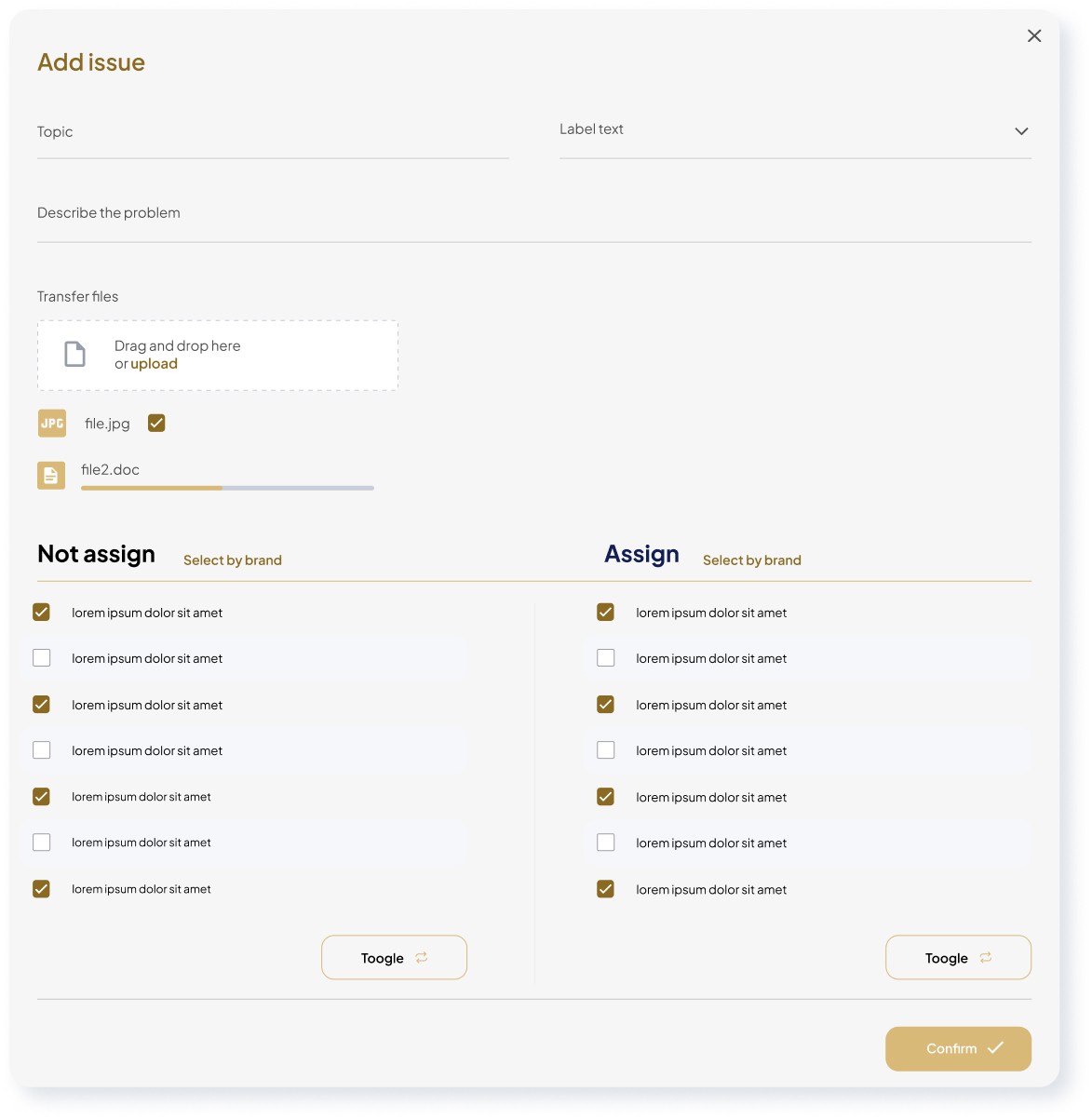
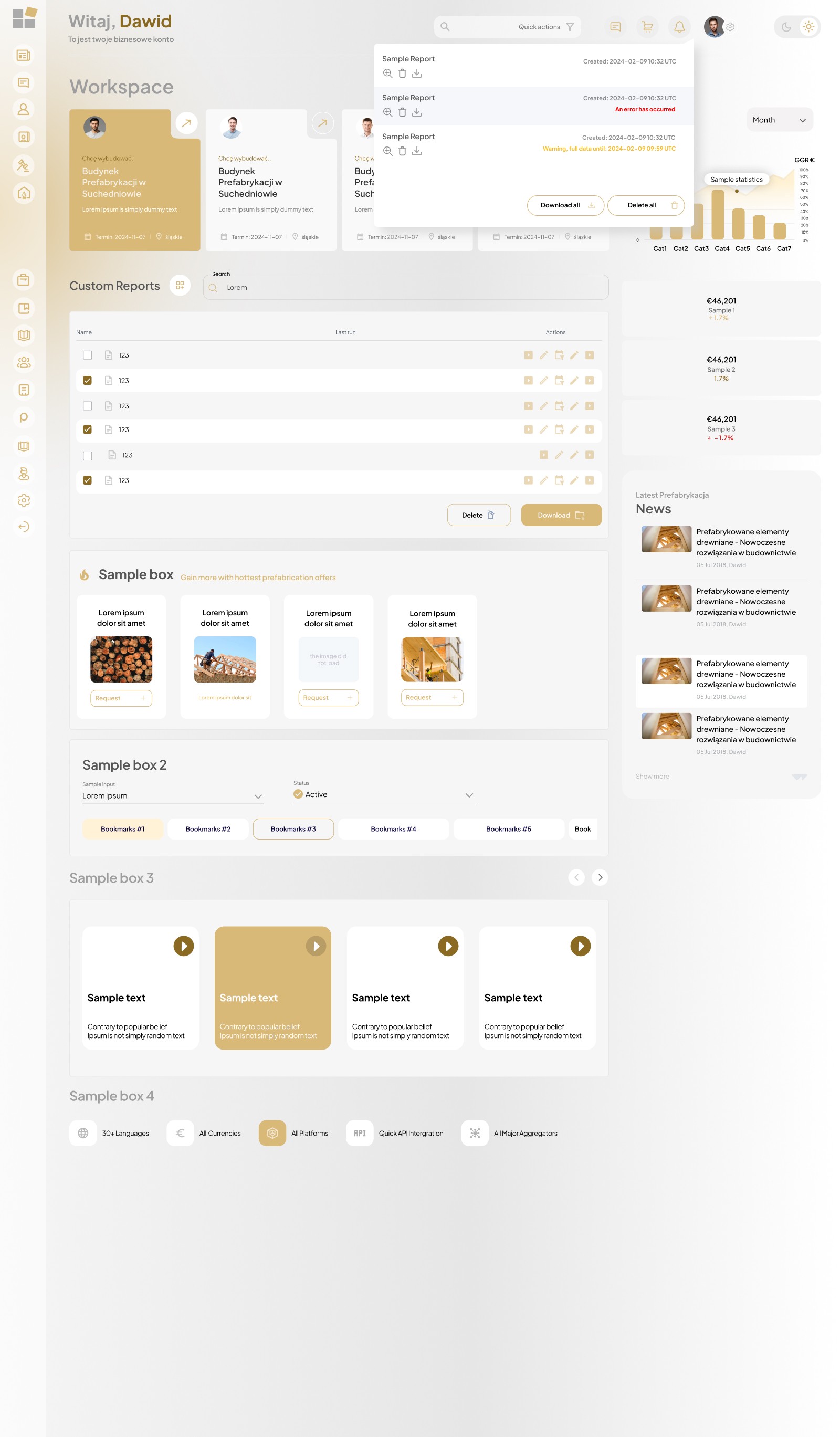
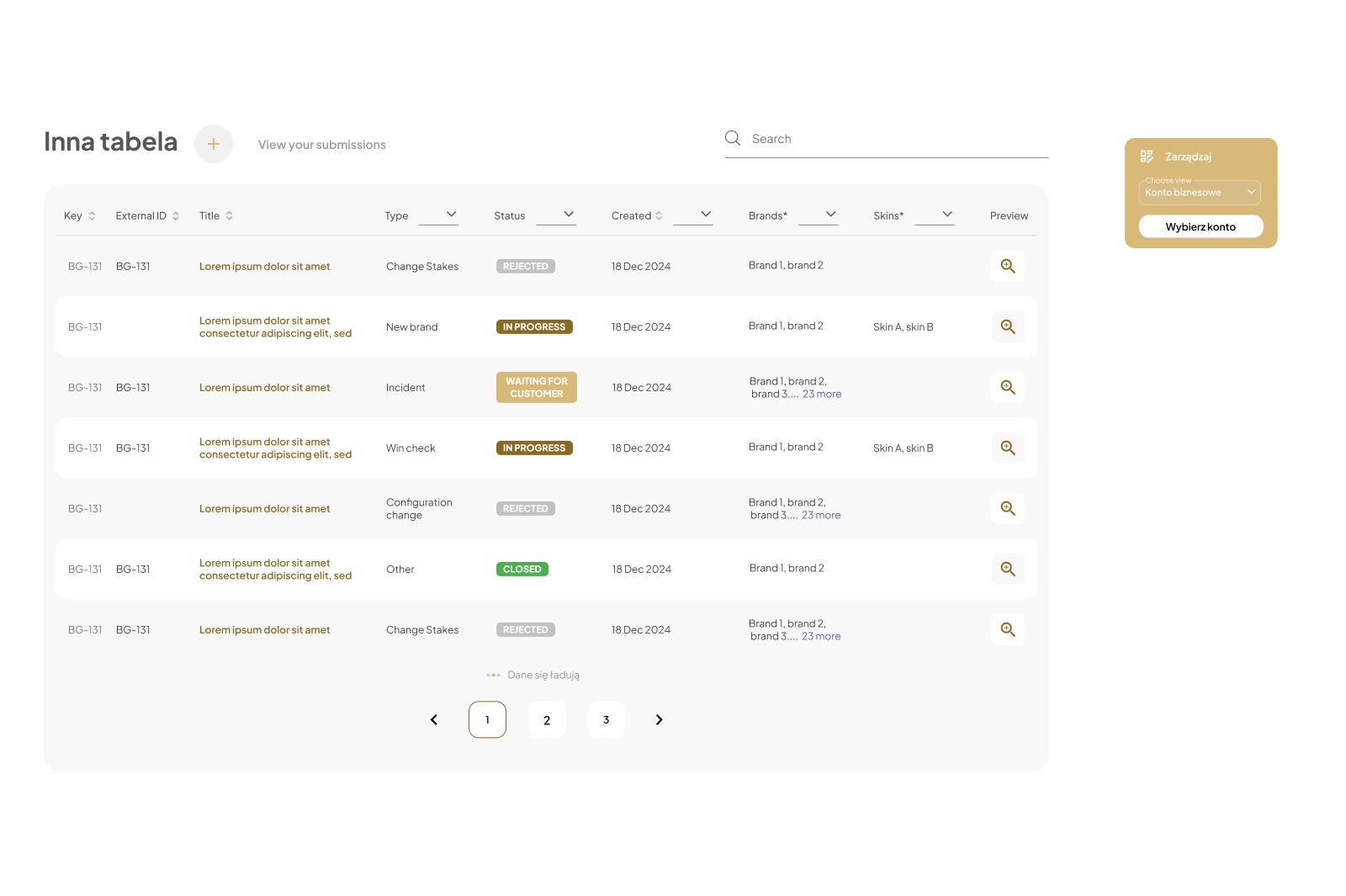
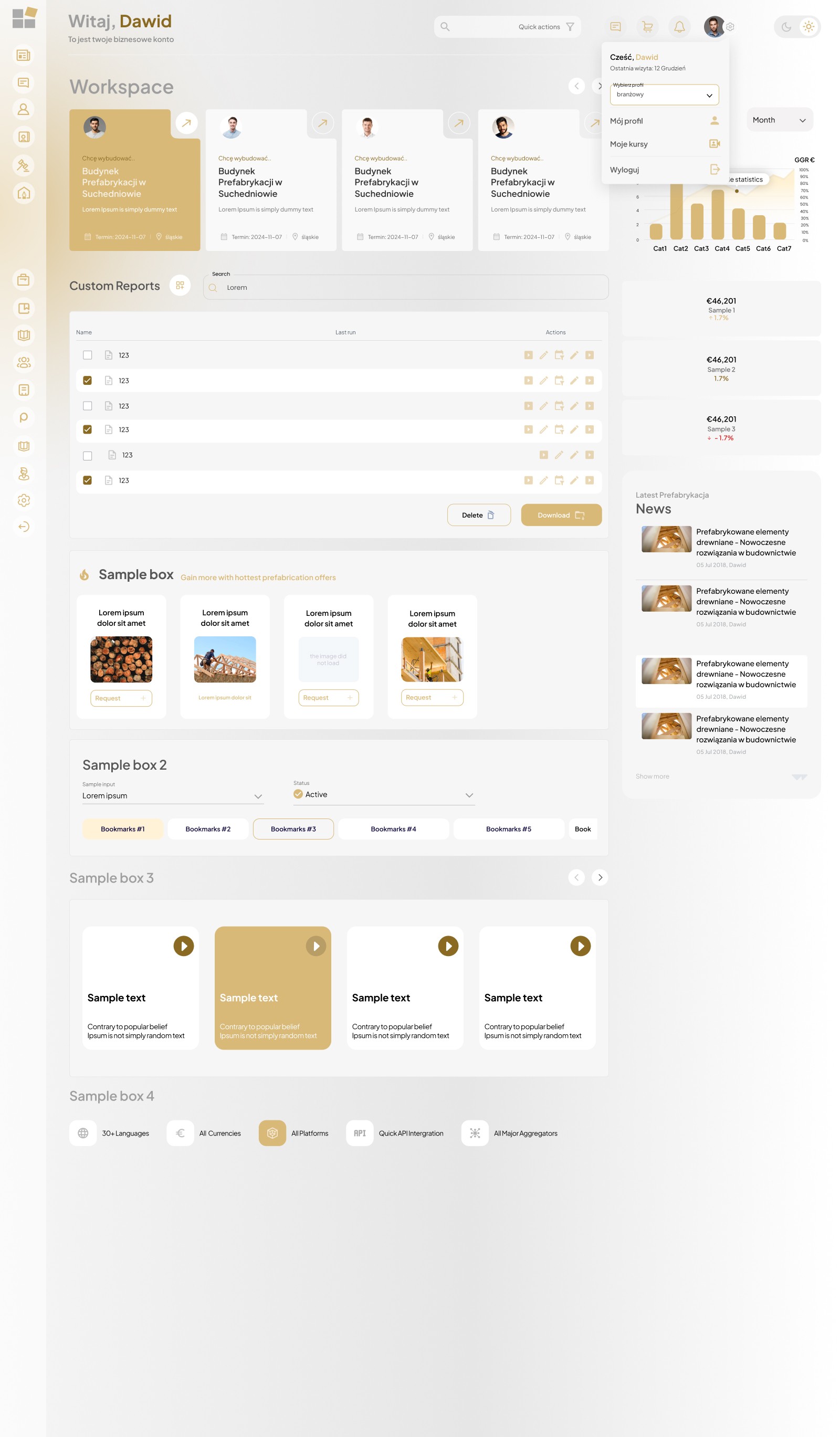
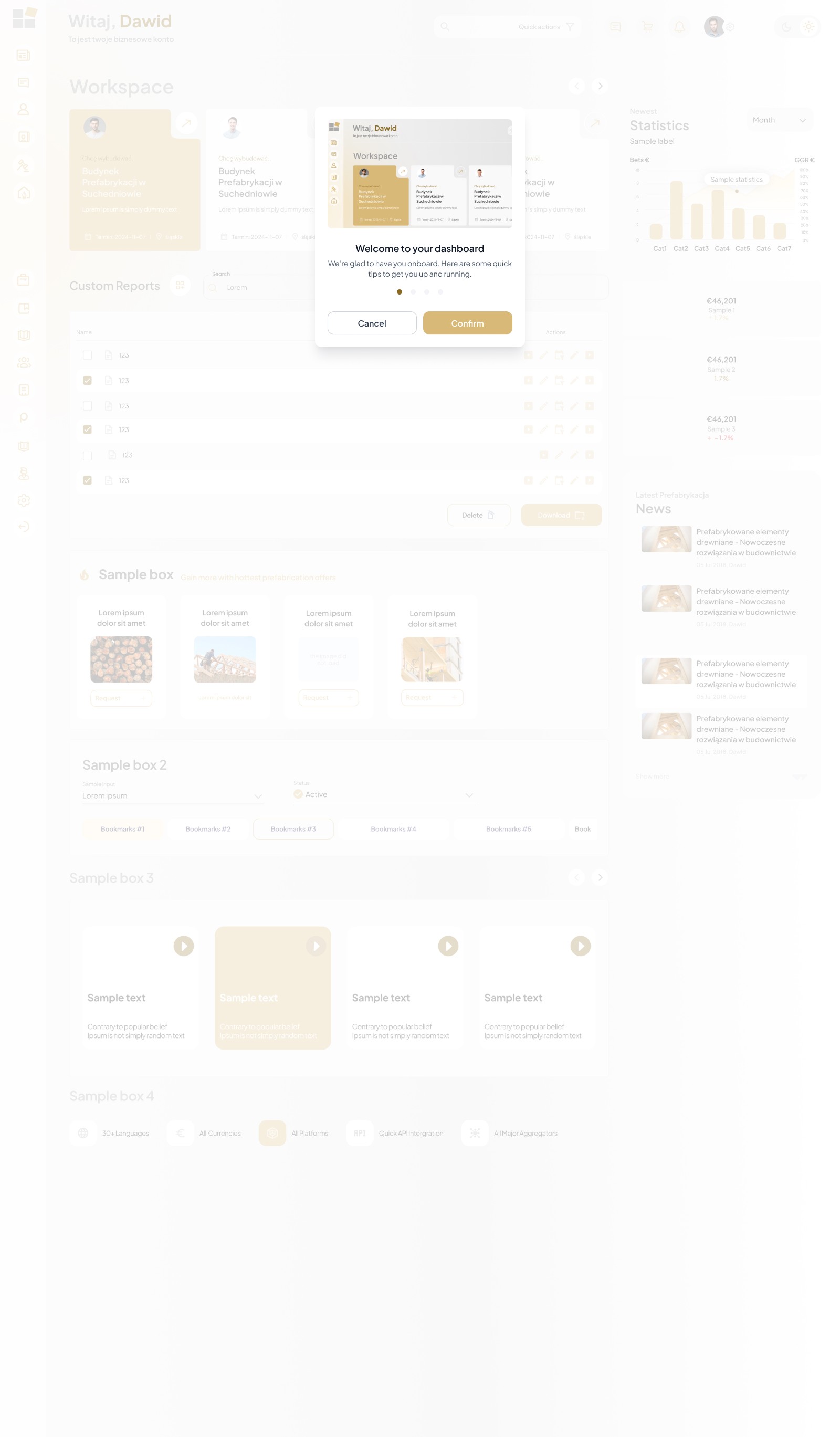
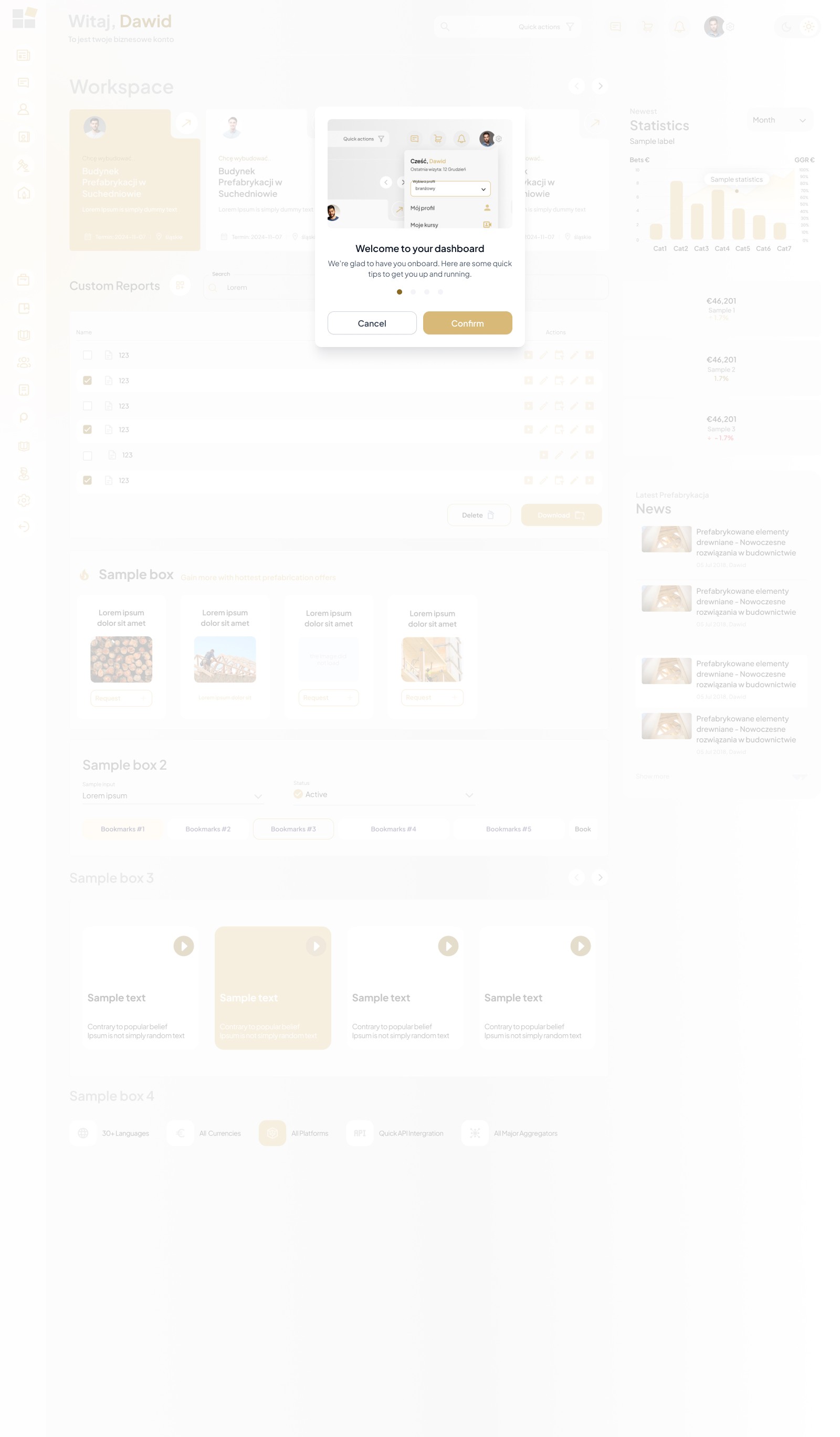
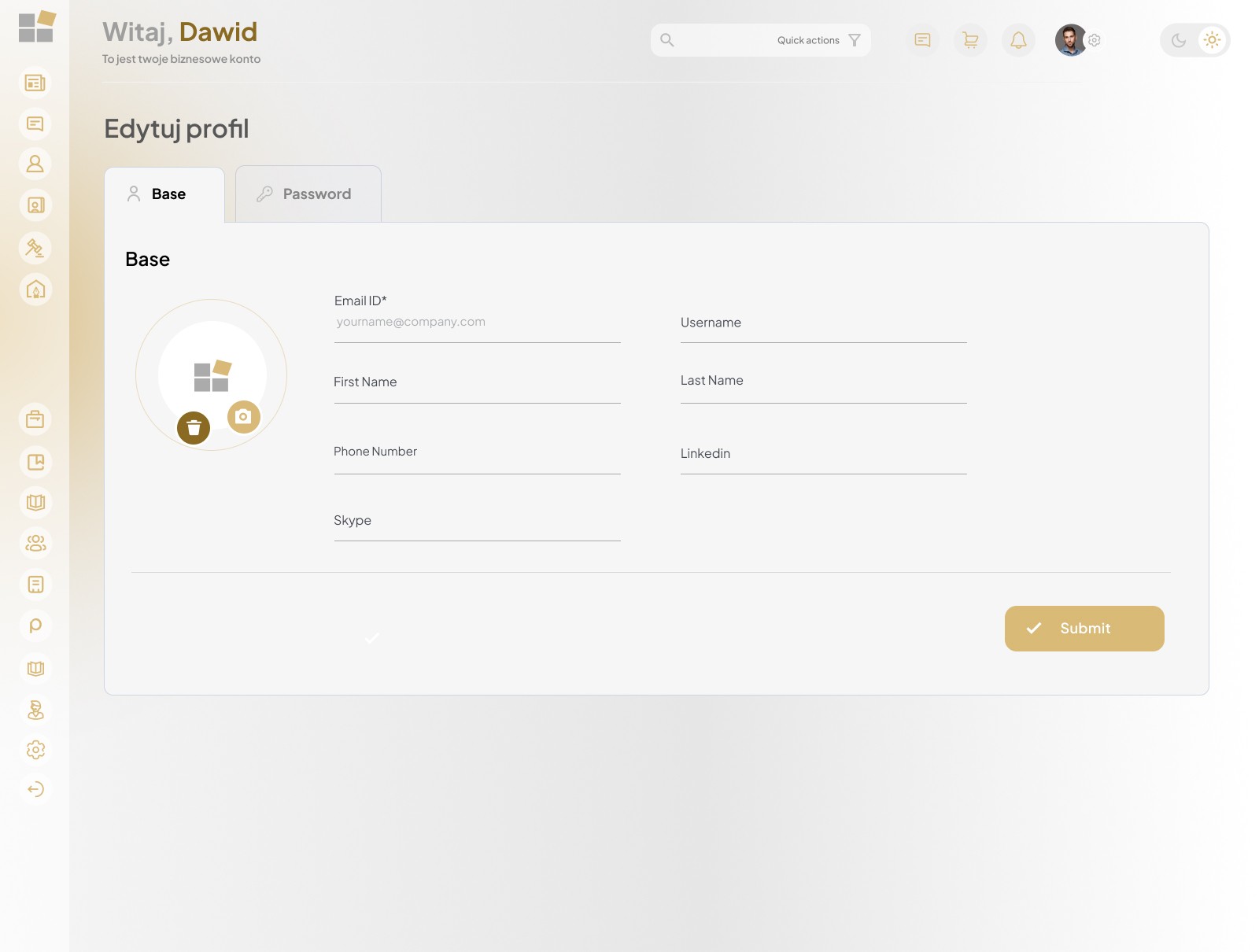
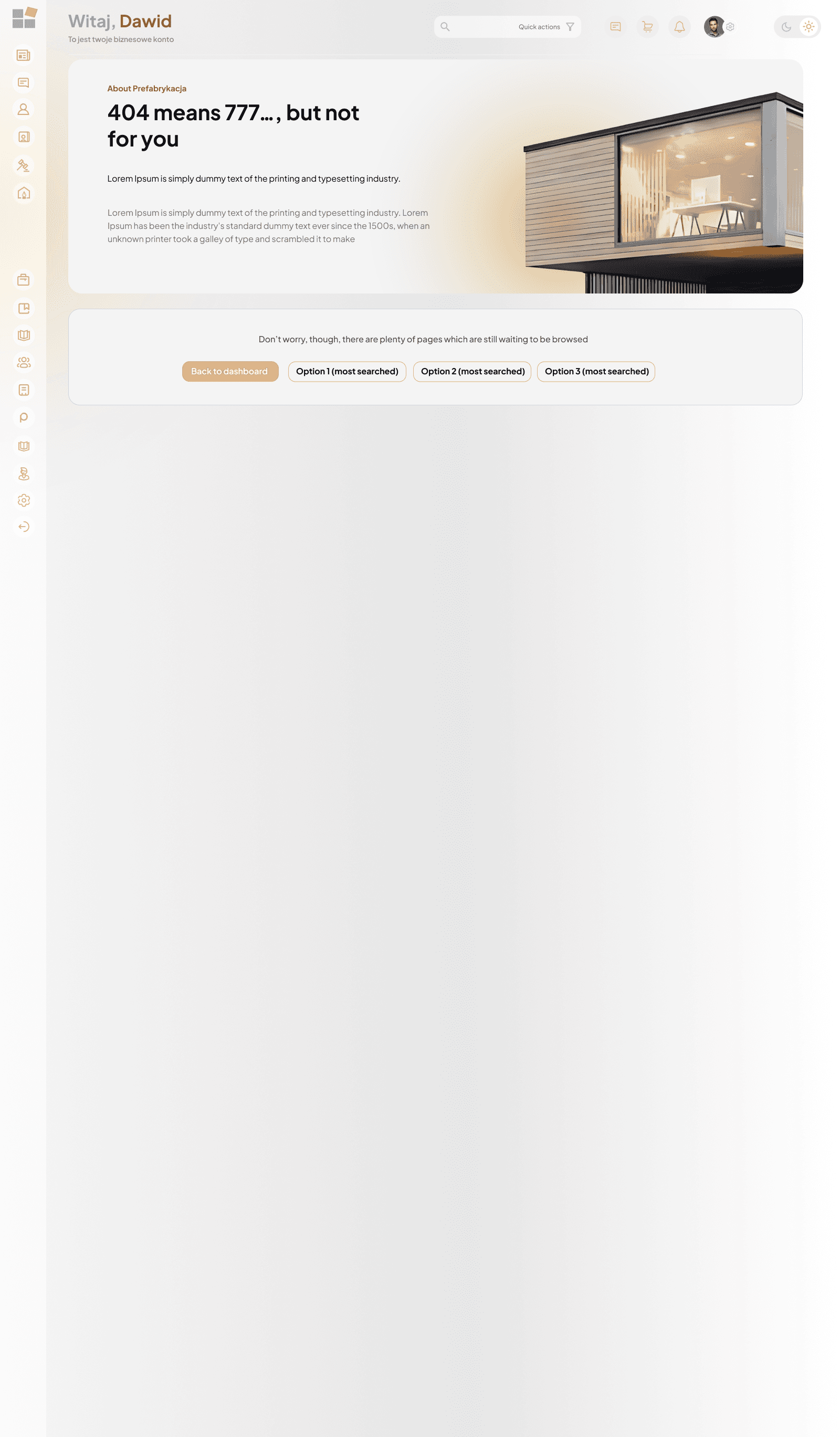
Management panel with UI KIT elements package

Creating a structured, attractive, and easy-to-explore subpage with articles, tips, news, and inspiration. The key goal was to increase time spent on the site and facilitate access to expert knowledge.
Makieta UX platformy B2B dla branży prefabrykacji – Sebastian Niesporek.

Step 14

Landing Page with Benefits Package

Designing a landing page to support a marketing campaign aimed at new users (individual/business/industry-specific), with a focus on presenting the value of the prefabrication portal in a simple, persuasive way and encouraging registration or contact.

Makieta UX platformy B2B dla branży prefabrykacji – Sebastian Niesporek.